

If you want to better organize your Facebook photos, you can create specific albums. For example, you can add all your birthday party photos to your B-Day Album. But Facebook may sometimes fail to add new photos to your existing albums. Use the troubleshooting tips listed below to fix the problem.
Why Can’t I Add Photos to My Facebook Albums?
Check if this is Facebook’s fault. If the social media platform is affected by unexpected temporary issues, that could explain why you can’t upload any photos. Check if other users complained about similar problems recently.
Additionally, log out of your Facebook account and restart your router to reset the server connection. Switch to a different network to test if the issue is on your end.
Check the Photo Format Requirements
- Check the photo format. Facebook supports the following image file formats: JPEG, BMP, PNG, GIF, and TIFF.
- Check the photo size. Try to keep your photos below 15 MB. If you’re uploading PNG images, keep them under 1 MB.
- Upload original photo versions. Facebook may sometimes fail to upload edited photos. Check if you can upload the unedited versions instead.
Check Your Browser
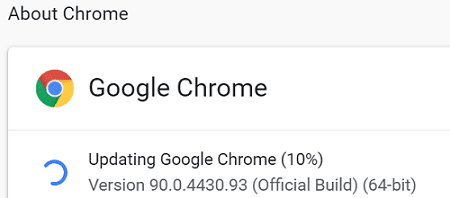
- Update your browser. Make sure you’re running the latest browser version on your computer. If you’re using a Chromium-based web browser, click on the menu, go to Help and select About to check for updates.

- Close unnecessary tabs. If you opened multiple tabs, close all of them except Facebook. Check if you can upload your photos now.
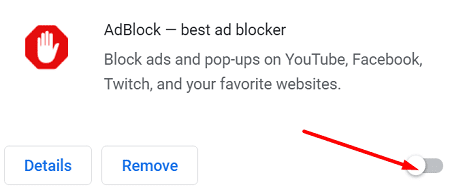
- Disable your extensions. Your browser extensions, especially ad-blockers, might be interfering with Facebook’s scripts. Alternatively, you can tweak your settings and include Facebook as an exception.

- Clear your cache. Your cache and cookies may sometimes interfere with Facebook’s scripts. For step-by-step instructions on how to clear your cache, check out this guide.
- Switch to a different browser. If the issue persists, use a different browser and check if you can add new photos to your Facebook albums.
Check Your App Settings
If you’re using the stand-alone Facebook app on your mobile device, use the checklist below to troubleshoot the issue.
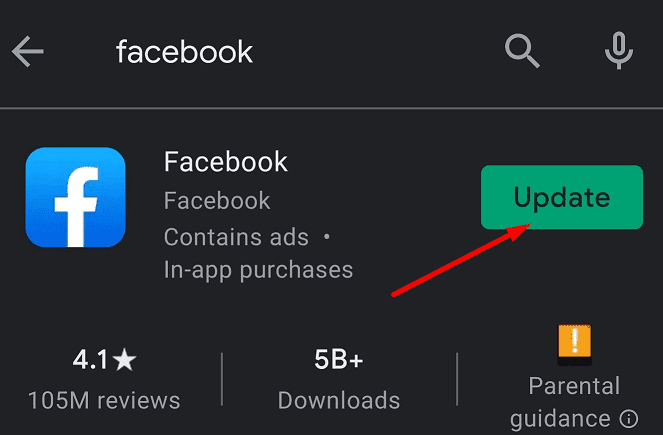
- Update the app. Launch the Google Play Store app, search for Facebook, and hit the Update button next to the app.

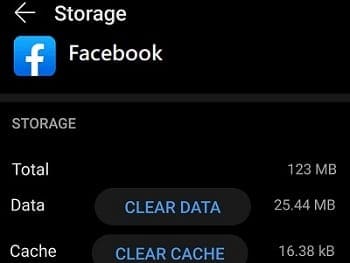
- Clear the app cache. Go to Settings, select Apps, go to All Apps and select Facebook. Tap Storage and hit the Clear cache button.

- Reinstall the app. If the issue persists, uninstall Facebook and restart your device. Then download the app again and check if the issue is gone.
- Download Facebook Lite. Check if you can upload the problematic photos using this app version.
Conclusion
If you’re having trouble uploading photos to Facebook, ensure you’re using the right image file format. If this issue affects the web app, disable your extensions, clear your cache and update your browser. On the other hand, if you’re experiencing this glitch on the mobile app, update the app, and clear the cache.
Hit the comments below and let us know if these tips helped you fix the problem.




First rime this has happened. Created a new album tonight. The initial images uploaded had to be retried numerous times each before they finally stuck. I cleared cache, cookies, and history then restarted. Tried two different browsers, logged off and back into Facebook, checked the size and format of the pictures. It doesn’t make sense and I can’t figure it out///and there’s nowhere to go. Facebook doesn’t have a help desk.
It won’t add photos to albums. it keeps saying failed to upload
i can’t add photos to albums. it keeps saying failed to upload
I can’t create any albums on Facebook, or add photos to existing albums. What is the problem – please advise
I can’t upload pictures on my FB album.
I can not create any new albums on Facebook for my personal or my business/work page! I can add photos to an existing album but that’s it! When I try to create album my phone automatically goes to my phones Home Screen! Please help I work from my phone and Facebook
Can not get help or response from Facebook support
I’m having a hard time creating an album. Please help
There is no way to add photos to an album created in a *page* you create, unless you’re on a desktop/laptop. In your main page, yes. But creating say, a business page…tbut o mobile there is no “album” button by your page name like your main page. Photos can only be added but not moved to a desired album.
Still experiencing sequence/chronological order. I take photos for my son’s sports team and upload in sequence but when viewing. FB reshuffles them randomly and when I try to rearrange it doesn’t save the changes. Very annoying as I upload about 100-200 from each match. I have commented to FB but realised much later that they do not reply!
I am trying to rearrange photos in an album and I get the error, “Facebook failed to reorder media for this album”. It was working fine for a while but now nothing I do seems fix the error. I’ve tried clearing the browser cache.
Come on Facebook. I cannot add photos to my profile pictures album. Please sort this out urgently. The only options are Download Album or Transfer Album. This is ridiculous
I know there are albums in a facebook group, I can see them on my phone or tablet (in the app). But I can’t see the albums in the browser. Not in any browser (tried firefox, Edge and chrome). IS Facebook getting rid of the albums in groups? Because than I have a problem for the group I manage.
I will reply, but nothing has changed in the way I open videos and photos filed on my hard drive. Maybe I should have said “can not open; even one photo” when I click on…What do you want to do?
I can not upload “Any” image….would like to do an album of 20 small file photos.