
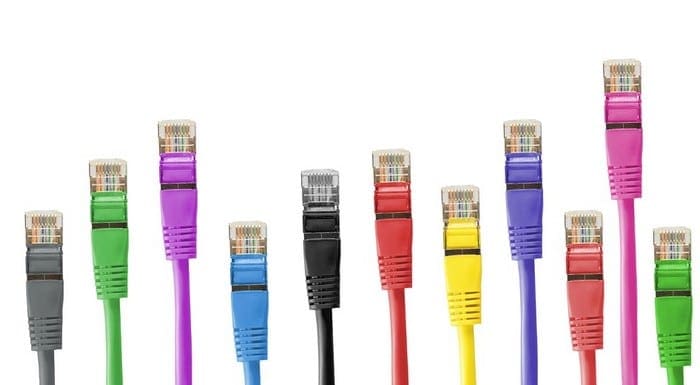
When purchasing a home broadband connections you generally have two main options for what type of connection you want: fiber and copper. These two terms describe what type of cable is used to transmit your data.
How does fiber work in comparison to copper?
A copper-based internet connection is the standard connection type that has been used historically. It works by sending an electrical signal down a copper cable. This technology is how most networking cables work.
Fiber-based internet uses light pulses through fiber-optic cables to transmit signals instead. This does, however, require your ISP to specifically lay fiber-optic cables.
Speeds
Typically, copper-based internet speeds reach up to around 300 Mbps, although copper cables are technically capable of reaching speeds of up to 10 Gbps. Companies offering fiber-based broadband packages can offer internet speeds exceeding 1 Gbps. The maximum possible speed of fibre optic cables is still being researched, however, in 2018 a team of scientists developed a cable and a number of specialized technologies that achieved a bandwidth of 768 Tbps.
Tip: Internet speed here is measured in bps or bits per second. The M, G, and T prefixes are used to denote mega, giga, and tera respectively. One megabit is a million bits, there are a thousand megabits in a gigabit, and a thousand gigabits in a terabit.
Advantages of copper
Copper cabling is generally cheaper to produce per unit of distance which makes deployment cheaper. On top of that, most first-world countries already have widespread copper networking cables laid, which means that in most cases cables don’t have to be installed at all, or if they do, the distance involved is minimal.
Advantages of fiber
Using pulses of light means that fiber-based internet is not susceptible to electromagnetic interference, so less shielding is needed for the cables. The signal strength of a fiber connection doesn’t degrade as much as a copper connection does during travel, which means repeater/signal boosting stations are unnecessary.
Fiber cables are significantly thinner for the bandwidth they provide, this makes them easier to lay and means fewer cables need to be installed to achieve the same bandwidth. At scale, this effect can counteract the cost difference between copper and fiber.
During cable installation, providers can bundle and install more cables than necessary leaving extra capacity available for future expansion. Each individual fiber can have multiple different colors of light pulses transmitted at the same time as an independent signal, which can significantly boost the bandwidth of a single fiber.
Hybrid deployments
To give people the best of both worlds, ISPs have generally focused on laying fiber cables as part of the backbone of their network. This provides a capacity boost to the ISP, allowing them to offer faster speeds to more customers. This deployment stage is called FTTC or Fibre to the Cabinet. Continuing to use existing copper cables for “the last mile”, or between the network cabinet and your home saves costs on installing new cables for each fiber customer.
There are two future stages of fiber deployment, FTTP, and using fibreoptic cables in your house. FTTP, or Fiber to the Premises, uses fiber cables for the last mile too. The performance boost users can see from this however depends on their home networking setup.
To take full advantage of the faster speeds of fiber cables, your home needs to be wired up with highspeed cables. Ideally, this would be fiber-optic cables, but support for these in devices such as computers and routers is minimal to non-existent as of 2020. Using highspeed Ethernet cables is your best current bet currently to achieve the fastest internet speeds to your devices.




My son works for an internet service provider. They replaced their copper lines with fiber. Now the customer’s internet is down. Any thoughts?
I have been experiencing crackling intermittent with my phone, also l am getting someone interrupting my conversation on my phone, also intermittent. Is this something that you deal with or do l get in touch with my supplier please?
I’m interested in specifically in AT&T’s fiber to a neighborhood node and then it goes over a copper wires from there perhaps an eighth of a mile To the Home or end-user . What is the maximum speed on that and what is that called