Skip to content
LogoTechnipages
LogoTechnipages
  • Topics
        • Android
        • Browsers
        • Gaming
        • Hardware
        • Internet
        • iPhone
        • Linux
        • macOS
        • Office
        • Reviews
        • Software
        • Windows
        • Definitions
        • All Recent Posts
  • Product Reviews
  • About

What Is DRAM (Dynamic Random Access Memory)?

Mel HawthorneAugust 9, 2022 Comments (0)

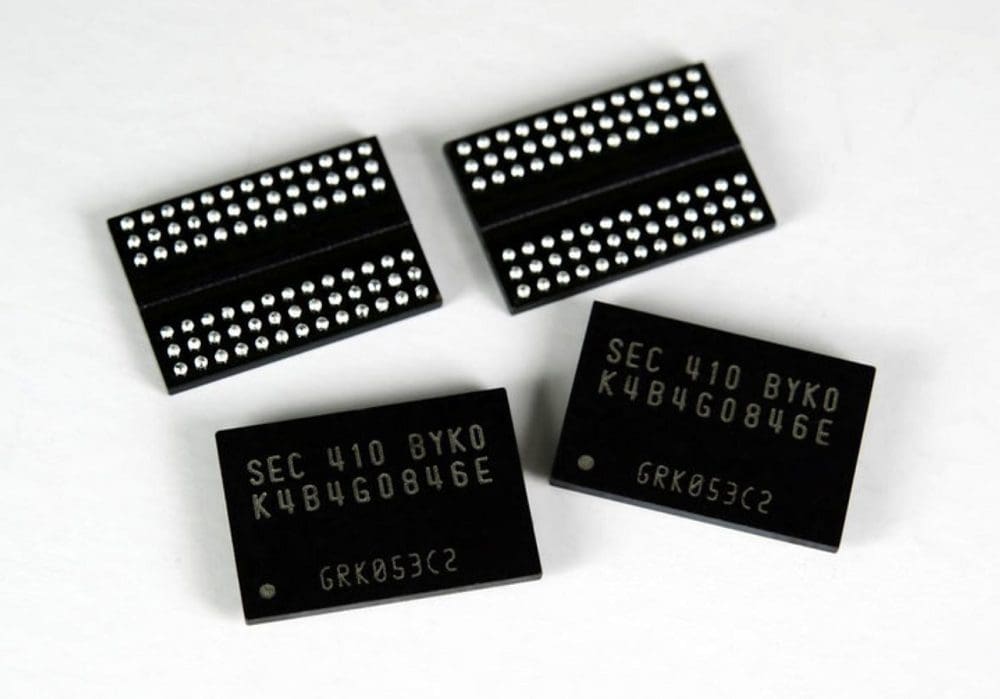
DRAM is short for Dynamic Random Access Memory. It refers to a specific type of RAM or Random Access Memory. Like with all RAM, each bit of data is stored in a single memory cell. In the case of DRAM, this memory cell is made up of capacitors and transistors – rarely, only of transistors.

Left to its own devices, any sort of data stored in DRAM would leak away after some time. As especially capacitor-based memory cells gradually lose their electric charge. This can be prevented by occasionally refreshing the memory externally. So every now and again, the data stored is rewritten in precisely the same way to keep it current.

This differs from SRAM, which doesn’t need to be refreshed similarly. However, it does have some similarities to SRAM because both are volatile memory types. DRAM exhibits limited data remanence. Data Remanence refers to the ability to retrieve bits of data even after attempts to delete it (or after power failure).

Contents

  • 1 Where Is It Used?
  • 2 What Are the Advantages and Disadvantages?
  • 3 Conclusion

Where Is It Used?

DRAM sticks have dozens and billions of individual DRAM cells that make up the memory stick. In all sizes, it’s a popular choice for the main memory of modern computers and sometimes graphics cards. In other words, the part commonly referred to as RAM is often DRAM. Video consoles also often use DRAM. Smaller electronic devices and simple toys that still have some form of memory tend to use SRAM instead.

What Are the Advantages and Disadvantages?

Despite its popularity in tech, DRAM does have its weaknesses. It’s slower than SRAM, for example. It’s also cheaper, which comes into play when the cost is more important than speed. Another downside is the size – DRAM takes up more space than SRAM.

It also requires additional interactions. Making circuitry and timing more complicated. Despite all that, DRAM cells are structurally more superficial and smaller than SRAM cells. This makes them suitable for larger memory sticks, as they take up less space than other memory types would do.

Conclusion

DRAM stands for Dynamic Random Access Memory. Like any sort of RAM, DRAM is volatile, meaning it loses the data it holds if power is cut. The word Dynamic indicates that DRAM memory cells need to be regularly recharged to retain their data. This recharging process is handled automatically. Newer subsets of DRAM are typically used as system RAM. Don’t forget to leave your thoughts on the subject in the comments.

Categories: Hardware

Author Mel Hawthorne

You Might Also Like

  • airpods not working with zoom mac

    Fix AirPods Not Working with Zoom on Mac

    Madalina DinitaHardware
  • Oculus

    VR Oculus Quest 2: How to Troubleshoot Hand-Tracking Issues

    Mel HawthorneGaming
  • Oculus

    VR Oculus Quest 2: How to Change the Color of Your Guardian Boundary

    Mel HawthorneGaming
  • fix-chromebook-not-connecting-to-bluetooth-device

    Fix: Chromebook Won’t Connect to Bluetooth Devices

    Madalina DinitaHardware

Leave a Reply

Your email address will not be published. Required fields are marked *

  • system32 folder opens on startup

    System32 Folder Opens on Startup – How to Fix

  • browser keeps opening hp support

    Browser Keeps Opening HP Support Assistant Tabs 

  • camera not working in vmware

    Camera Not Working in VMware – How to Fix

  • browser screen goes black

    Browser Screen Goes Black Intermittently 

  • computer heating up in hyper v

    Computer Heating Up When Using Hyper-V – How to Fix 

profile pic

The Experts Behind Technipages

My name is Mitch Bartlett. I've been working in technology for over 20 years in a wide range of tech jobs from Tech Support to Software Testing. I started this site as a technical guide for myself and it has grown into what I hope is a useful reference for all.

Learn More

technipages logo white
linkedin icon

Technipages is part of Guiding Tech Media, a leading digital media publisher focused on helping people figure out technology. Learn more about our mission and team here.

© 2026 Guiding Tech Media All Rights Reserved

  • About Us
  • Contact
  • Terms of Use
  • Privacy Policy

© 2026 Guiding Tech Media All Rights Reserved

Information from your device can be used to personalize your ad experience.
Do not sell my personal information.

Last Updated on August 9, 2022 by Judy Sanhz