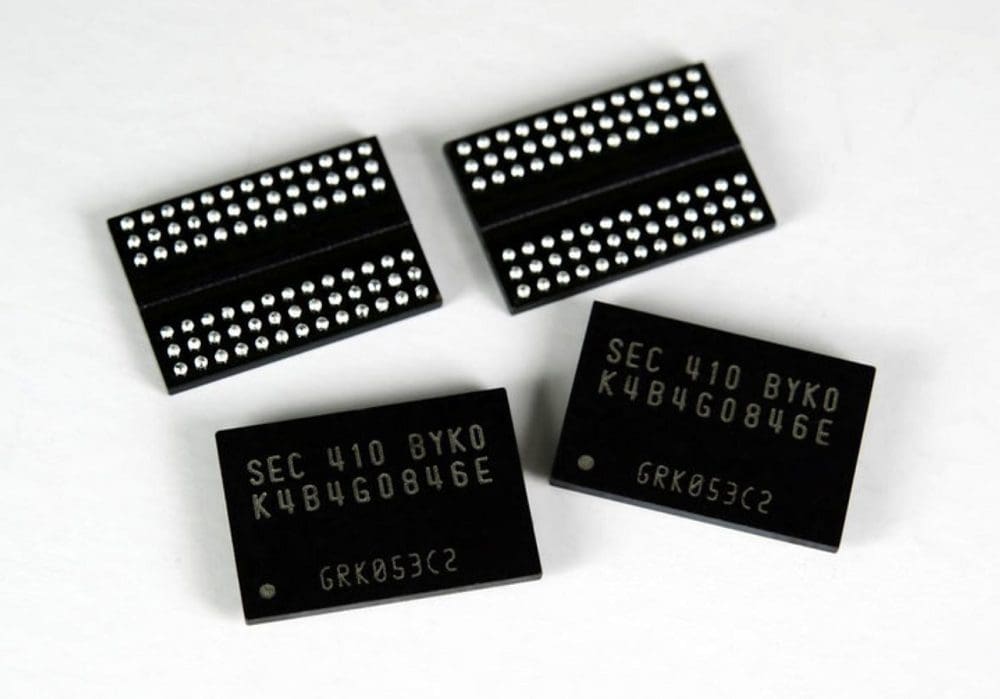
In your computer, there are likely two types of RAM class memory. Only one is referred to as RAM: the system memory or system RAM. This class of RAM is called DRAM. In this class, you may also have some SSDs with integrated DRAM. The VRAM on a graphics card is also a subset of DRAM. You’ll have a different type of RAM on the actual CPU and GPU dies themselves. SRAM is used for on-die caches.
SRAM is speedy. However, it is not particularly dense in terms of gigabytes per square centimeter, which also contributes to its high price. DRAM is slower. However, it has a much higher storage density and is much cheaper. For this reason, SRAM is used in small quantities on processor dies as high-speed memory, and DRAM is used for larger memory pools like the ones described above.
The distinction between SRAM and DRAM is evident in their actual structure. SRAM uses four to six transistors, while DRAM uses a single transistor and a capacitor. This is where the storage density comparison comes in. There are simply fewer parts in DRAM, making each memory cell smaller.
The design differences have another effect, however, one large enough to be the titular naming factor of the two. The S in SRAM stands for Static, while the D in DRAM stands for Dynamic. This represents that SRAM can retain its contents indefinitely, while DRAM needs to be regularly refreshed.
Note: This assumes that a constant power supply is available. SRAM is still volatile memory, and if power is lost, it will lose the data it holds. Just like DRAM.
What Is a Memory Refresh?
The circuit-level architecture of DRAM means that the charge of a memory cell decays over time. Each memory cell must be regularly refreshed to allow DRAM to store data for long periods. There are a couple of essential things to know about this. The first is that the memory can’t be accessed while refreshed. This also means that performance can be limited by how often the DRAM cells need refreshing.
Generally, DRAM cells are refreshed every 64 milliseconds, though this halves at high temperatures. Each row of cells is refreshed independently to prevent this from happening all at once, causing a significant hiccup every 64 milliseconds.
Cleverly the memory controller also times refresh cycles to occur while the RAM module does other things that prevent it from reading or writing memory, such as transmitting read data. Thankfully, the amount of time needed to refresh a cell is small, generally 75 or 120 nanoseconds. This means a DRAM chip spends roughly 0.4% to 5% of its time performing a refresh operation.
How to Refresh DRAM
What you might not know about reading data from DRAM is that it is destructive. Reading data from the memory cells destroys that data. To hide this from the user, every read operation reads and transmits the data and writes the same data back to the memory cell in action called precharge. Unfortunately, standard read events can’t be relied on to hit every used DRAM row, so a specific refresh operation is needed.
The refresh operation isn’t as complex. In fact, as it seeks to refresh a whole row at once, rather than reading a specific column in the row, the signal to refresh a row is also smaller and more efficient. The refresh process reads the data into the sense amplifiers and straight back into the cells rather than to the comparatively slow output buffers.
All this happens automatically. The memory controller manages it all without the CPU being aware of it.
Outliers
DRAM charge does decay, but research has shown that the rate varies wildly between DRAM cells, even on a single chip. The top percent or so may be able to hold their data for up to 50 seconds without needing a refresh at standard temperatures. 90% can store data for 10 seconds, 99% for three seconds, and 99.9% for one second.
Unfortunately, some outliers need to be refreshed much more often. To allow for even the worst-case scenarios, DRAM refresh times are low. This choice does ensure that no data is ever lost, but it also affects power usage and performance.
Some researchers have proposed alternative methods of analyzing and binning the RAM cells and prefer using the ones with better decay times. This would lead to improved power usage, especially useful on low-power battery-powered devices. It would also, however, lead to variable levels of RAM performance.
Additionally, the change in decay time based on temperature would have to be factored in. Even worse, some cells simply lose charge retention performance occasionally, meaning relying on this too much could sometimes result in a presumed good memory cell being bad, requiring regular rebinning.
Conclusion
The refresh cycle is the process in DRAM modules by which the memory cells are refreshed. This is necessary because the circuit design of DRAM results in charge decay. Regularly refreshing memory cells prevents data loss. SRAM doesn’t need to be refreshed as its circuit design does not result in a charge drain.
Note: Refresh cycle may also refer to a user or organization’s regular updating of hardware.