Skip to content
LogoTechnipages
LogoTechnipages
  • Topics
        • Android
        • Browsers
        • Gaming
        • Hardware
        • Internet
        • iPhone
        • Linux
        • macOS
        • Office
        • Reviews
        • Software
        • Windows
        • Definitions
        • All Recent Posts
  • Product Reviews
  • About

The Absolute Best Way to Dry a Wet Phone

Mitch BartlettOctober 16, 2018 Comments (3)

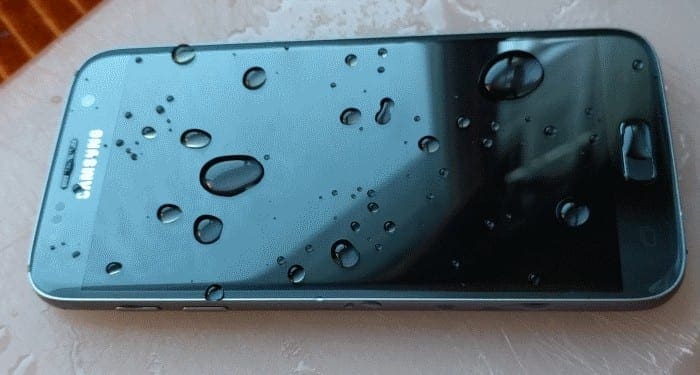
So you decided to jump into the pool with your phone? Maybe you were using it while doing your business, then got up and it slid right into the toilet? No matter what happened to cause  your phone to get wet, there is still hope for your phone. Give it the best chance to live on with these steps.
Contents

  • 1 Step 1. Power Down. NOW!
  • 2 Step 2. Shake it Out
  • 3 Step 3. Disassemble (If you can)
  • 4 Step 4a. Blow
  • 5 Step 4b. Force Dry

Step 1. Power Down. NOW!

It’s not so much the water that damages electronics, but the short that can happen if you power them on when they are still wet. Keep your phone off until you know it’s totally dry.

Step 2. Shake it Out
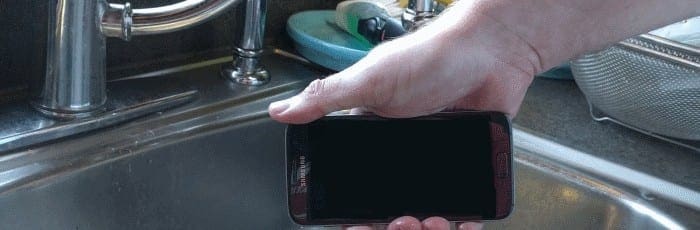
Aggressively shake the water out of phone as best you can to get all of the water you possibly can out of the phone.

Step 3. Disassemble (If you can)

Take the case off, headphones, SD card, SIM card, battery, rear cover, and any other items that might be attached to your phone. If you’re a bit handy, disassemble your phone. If you need directions on how to take your phone apart, do a Google search or have a look over at iFixIt for the best steps.

Step 4a. Blow
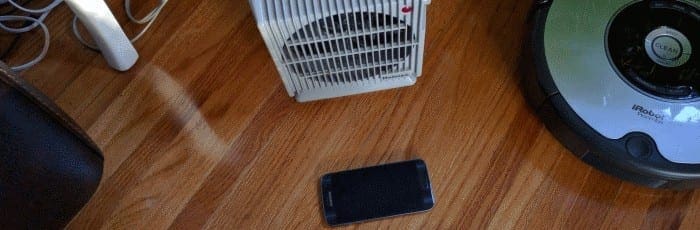
Use a vacuum, blower, or your own breath to blow water out of the nooks and crannies of the phone. After you have manually blown as much as you can, leave the phone in front of a low running fan for 48 hours.

Step 4b. Force Dry

Submerging your phone in 2 quarts of one the following agents can expedite the process of drying your phone. Doing this is an alternative to leaving the phone in front of a fan.

  • Silica Gel
  • Kitty Litter
  • Instant Oatmeal
  • Instant Rice

Hopefully after following these steps, your phone will fully recover without issue.

Categories: Hardware

Author Mitch Bartlett

Through my career that spans over 20 years I have become an expert in Microsoft Systems Administration, Android, and macOS. I started this site as a technical guide for myself and it has grown into what I hope is a useful knowledgebase for everyone.

You Might Also Like

  • How to Use Oculus Quest 2 Air Link

    Mel HawthorneHardware
  • What Is Undervolting?

    Mel HawthorneHardware
  • What Is a Data Center?

    Mel HawthorneHardware
  • What Is CIDR?

    Mel HawthorneHardware

Comments

  1. Silvana Ihas says:
    July 20, 2023 at 10:03 am

    A tiny amount of water’s cell phone was sitting in….now there’s no power….I can’t even turn it on please help

  2. Santhosh says:
    July 31, 2019 at 12:45 pm

    Redux can revive your wet smartphone and bring back . Please visit any TCC (Verizon’s authorized retailer) store and ask for Redux service.

  3. karen m. Kudelko says:
    June 17, 2019 at 6:45 am

    I did all the wrong things to my new flip phone after it dropped into the toilet for about 30 seconds. I shook it, blew on it, used the hairdryer for about a minute did nothing for about 2 hrs, then my daughter said put it in rice. After about 10 hours I took it out of the rice. It was powering up but acting crazy, not following directions. Read online to turn it off and remove battery. Did that and put it and the battery back in rice in a sealed container. Hope this works!
    One added mishap, my Juul was in a pocket of jeans and went through the washer the same day. It is in the rice as well. Maybe, if I pray everything will dry. What do you expect from a 73 year old?

Leave a Reply

Your email address will not be published. Required fields are marked *

  • npu power management bug

    What Is the NPU Power Management Bug and How Do You Fix It?

  • pc can't enroll for windows 10 extended security updates

    PC Can’t Enroll for Windows 10 Extended Security Updates – How to Fix

  • hdd better than an ssd

    When Is an HDD Better Than an SSD?

  • top graphics cards for 2026

    Top 5 Graphics Cards for 2026

  • roblox error 280

    Having Trouble With Roblox Error 280? Here’s What to Do

profile pic

The Experts Behind Technipages

My name is Mitch Bartlett. I've been working in technology for over 20 years in a wide range of tech jobs from Tech Support to Software Testing. I started this site as a technical guide for myself and it has grown into what I hope is a useful reference for all.

Learn More

technipages logo white
linkedin icon

Technipages is part of Guiding Tech Media, a leading digital media publisher focused on helping people figure out technology. Learn more about our mission and team here.

© 2026 Guiding Tech Media All Rights Reserved

  • About Us
  • Contact
  • Terms of Use
  • Privacy Policy

© 2026 Guiding Tech Media All Rights Reserved

Information from your device can be used to personalize your ad experience.
Do not sell my personal information.

Last Updated on October 16, 2018 by Mitch Bartlett