
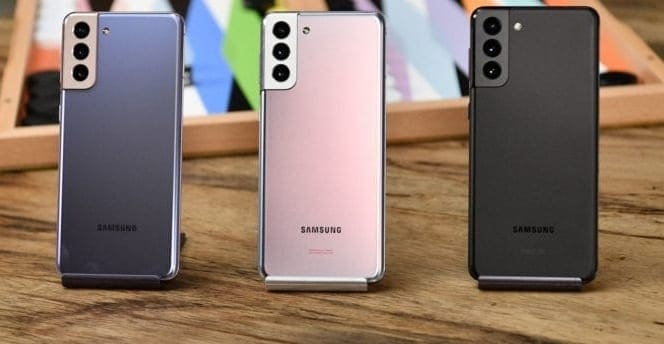
The amazing Samsung Galaxy S21 is one of the most popular Android devices of the moment. Unfortunately, the terminal may sometimes refuse to turn on. If you’re experiencing similar issues, follow the troubleshooting steps below to fix the problem.
Contents
What to Do if Samsung Galaxy S21 Won’t Turn On
Check if the Device Is Damaged
Visually inspect your terminal’s charging port and make sure it’s not damaged. Then, check the Power button and make sure it’s not stuck. Equally important, remove any dirt or specks of dust from the charging port.
Take a closer look at your device and check if the back or the display bulges out. This may indicate the battery is swollen. Use that as a clue and check if any water droplets found their way into your device. For this purpose, carefully inspect the charging port and check if there’s moisture in it.
If you suspect the device is damaged, take it to the nearest Samsung Service Center for assistance.
Use a Samsung Charger and the Original USB Type-C Cable
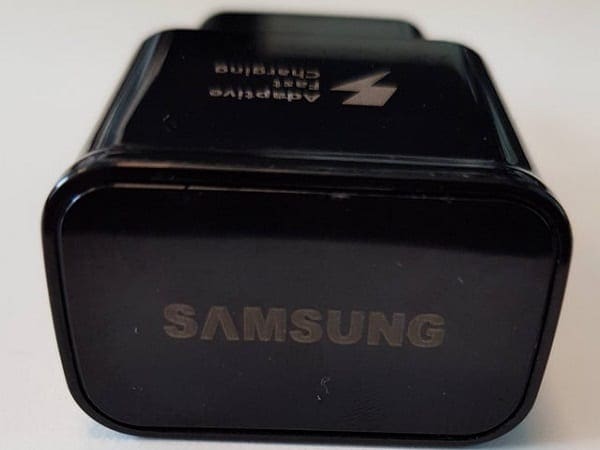
One reason why your terminal won’t turn on is that it doesn’t have enough battery juice. Use only the original USB Type-C cable that came with your phone. Although the company didn’t include a charging adapter in the box, make sure to get an original Samsung charger. Wait for 10 minutes until the battery has enough juice to power up your device. Then check if you can turn on the device.
Third-party chargers and cables often fail to charge your battery properly. Additionally, a charger or cable that is not of the same voltage as your original charging accessories may severely damage your phone.
Force Restart Your Galaxy S21 Device
To force restart your Samsung Galaxy S21 device, press and hold the Power and Volume down keys for 10 or 30 seconds. Release the buttons as soon as the terminal powers on. If nothing happens after 30 seconds, release the two buttons anyway. Rest assured, a forced restart won’t delete anything from your phone.
Conclusion
To sum up, if your Samsung Galaxy S21 device won’t turn on, there’s not much that you can do about it. Check if the charging port is faulty, and make sure to use the original charging cable. If force restarting the phone doesn’t work, you may need to visit the nearest Samsung Service Center for further assistance. Did you manage to fix the problem? Let us know in the comments below.




I got mine 4 months ago, all of sudden turned blue with chinese write up and went off totally. This is so disappointing, there should be a way that samsung could fix this problem.
Thank you! Thank you! Thank you! I HATE GETTING NEW PHONES!!!!! The 30 second force start did the trick.
Just want to help someone that may have same problem. My phone died while plugged up now 2 times. 1st time I took it to a tech store & paid for new back so they could access battery ($40-ish). They actually found out after leaving battery unhooked while awaiting for new battery to arrive next day, my battery was good. It just needed to be reset or whatever. Tonight my phone did this same thing (probably 2 weeks apart). I held down both volume down & power button for the full 30 seconds (if your counting, just keep holding it past 30 seconds until either 1 minute passes or it finally comes up with the plug the battery sign). Don’t do like I did the 1st time & think 30 seconds passed & nothing happened so I rushed to tech store for fix.
No it did not help and my friends phone is the same kind of phone and she is having same trouble. Have never had any trouble from previous galaxy phones.
Samsung socks god dame 2 months old s21+now garbage I lost more then $1200 no more anything from Samsung
No help…..I tried many times to force start, my phone will ring from a call but cant answer it. My phone is 9 montha old and until now no real issues…..not sure what else to do but take it in.
It’s only been a week and my s21 plus is not turning on and won’t charge. I’m so disappointed.
I tried several times this, but does not work. It takes a couple of minute for rest, then hold the three buttons for 30 seconds an try again press and holding the Power and Volume down keys for 10 seconds, and finally woke up.
This is a rippoff barely a week after buying this samsung s21 its down completely flat, moreover they didnt supply head of charger jus a code, what nonsense is this
this s21 stop working after the battery get drained completely,i tried to charge and its not charging . what should i do please
I hate this s21plus phone…never gonna buy samsung again…this is happening for the 2nd time…and force restart was helpful for 1st time but this time Nothing is working
I can’t run and restart my sumsung s20
Nope! Did not help at all!
My phone is just 7 months and just died suddenly. Samsung Philippines customer service and centers are really bad! They have this “VIP AFTER SALES” thing for S21 series but the #s are not reachable. Really disappointed with the phone and Samsung’s commitment on their added benefits for flagship phone consumers. -_-
Should have bought an iPhone instead. Grr!
Nope it did not help. Phone did auto update and died. So dissapointed as I’ve been a Samsung user for 10 plus years.
I am very upset about this phone, I have not been unable to do anything with it! I have started with all the information above. should be a recall for all this phones ! I can’t understand why are still selling this phones if they are not reliable ?
it didn’t help me at all. it has been 4 months since i bought this S21 ultra Samsung phone. i was using my phone before it powered off and went dead. i tried to turn on but never came back. it’s so frustrating for having an issue for your new phone.
No.
Ive got same issue as those above.
Phoned turned off after update and wont come back on!!
I got a brand new s21 5g and it wont turn on right out of the box. my carrier tells me i need to buy a new charger. what the heck.
No,it did not help. I am on vacation in Mexico and this is my only computer device. Now I have no camera, no computer, no way to communicate, and no way to download my ArriveCAN app for travel back home. This pisses me off considering I got this phone in September and it’s only mid November. Stuck in Mexico with no devices… thanks for nothing Samsung????
I tried this technique over and over, no luck. Realized there was nothing more I could do, so I went to the AT&T store and they checked it. Turns out the (10 month old) charger was defective – problem solved! Occasionally there is a simple solution…
My phone was wonderful until it auto-updated. It’s going to black screen. The first time was very easy to reset. This time I feel like I’ve been ripped off by Samsung. Who’s going to start a Class Action law suit so we can all get our money back?
I was using my phone minutes before It shut off. Tried charging, force starting, nothing works
no visible damage or stuck buttons, had the phone less than a year. must be an issue with the recent update
Phone worked great until an update. And now wont take a charge and now it died through out the night and now wont turn on.
After system update phone shuts down, do forced restart and phone starts update install. At the end of install phone shuts down, do forced start and install starts over at end of install phone shuts down, do forced restart and install starts again.
this phone sucks big time. hung and cannot power up 3 times in one month and the phone is just 2 months old.
goes to samsung service at plaza singapore, they test and say is normal. wasted my time running up and down and still not solved the problem.
no it did not work. My device has not turned on. It has always been a problem to shut off. Now it won’t come on. What am I suppose todo.? this is my only phone in my house.
no i
this has been happening often my s21 screen turns blue with chines
my
my screen turns blue with chinese info and a arrow saying download no matter what i do it will not turnon
This force start technique did nothing. And I had used the phone seconds before it went dead
it was not help for this time the phone was not turning on, it was a 2nd time, the first time it help, but at this moment it was not help. i got this phone last february. what is the next to do?