

If you want to better filter who can contact you via phone calls, you can tweak your device’s settings so as to block incoming calls from numbers that are not in your Contacts list.
This is a very useful feature to enable, especially if you don’t want to be disturbed by telemarketing calls all the time.
Contents
How to Get Calls From Contacts Only on Android
If you own an Android phone and you want to block all the calls that are not coming from your contacts, there’s a dedicated option that you can use to filter incoming calls.
In this manner, you can block unknown or spammy callers without any problem.
Certain phone models may have a slightly different option that lets you block unknown callers. This is because many phone manufacturers tweak the OS according to their needs.
Block Calls From Anyone Not in Contacts on Huawei
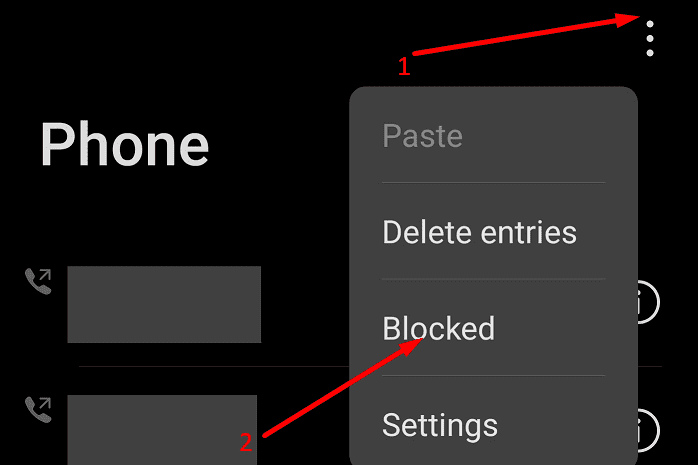
- Open the Phone App
- Tap the three-dot menu and select Blocked

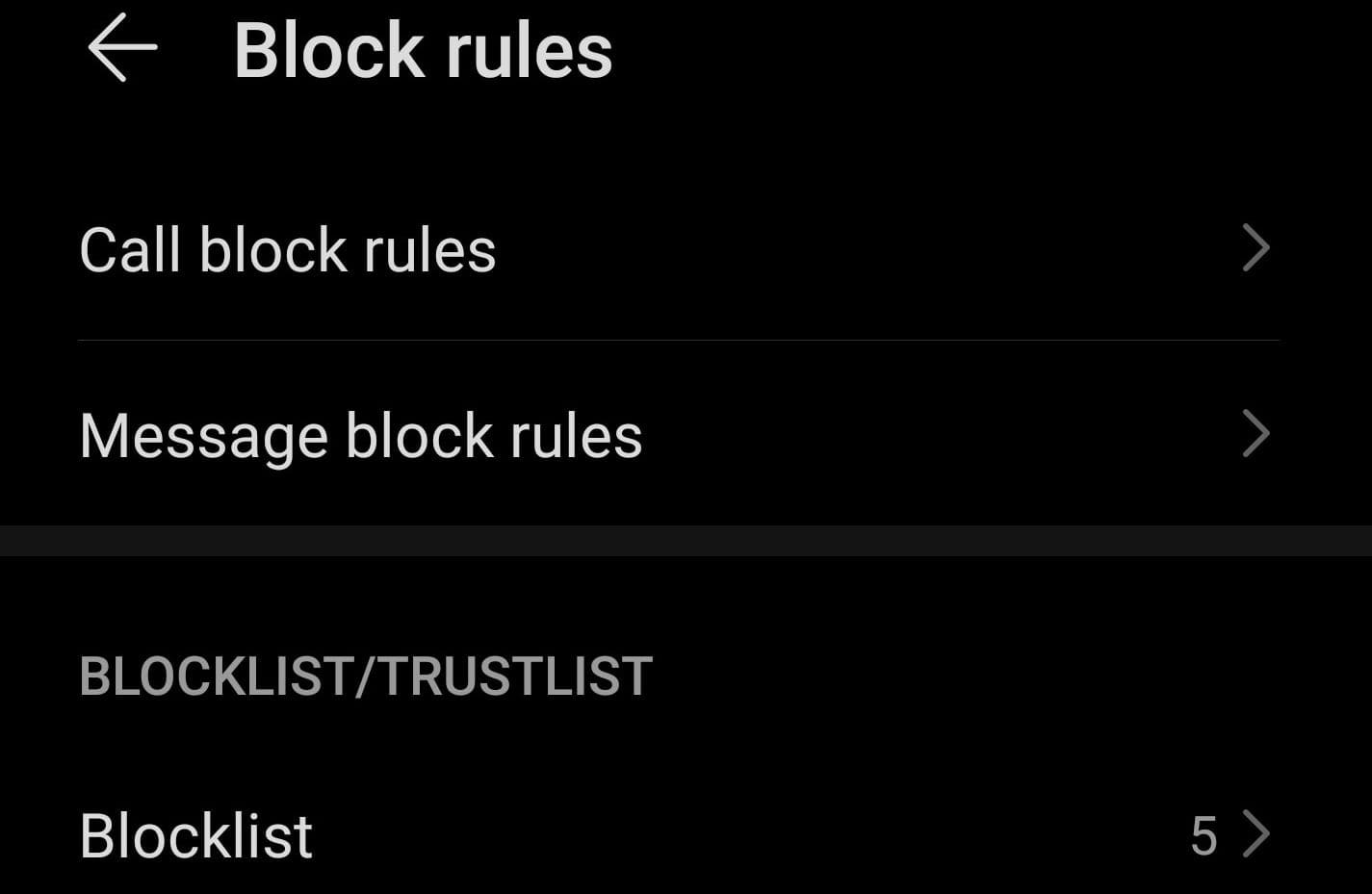
- Select Calls and tap Block rules

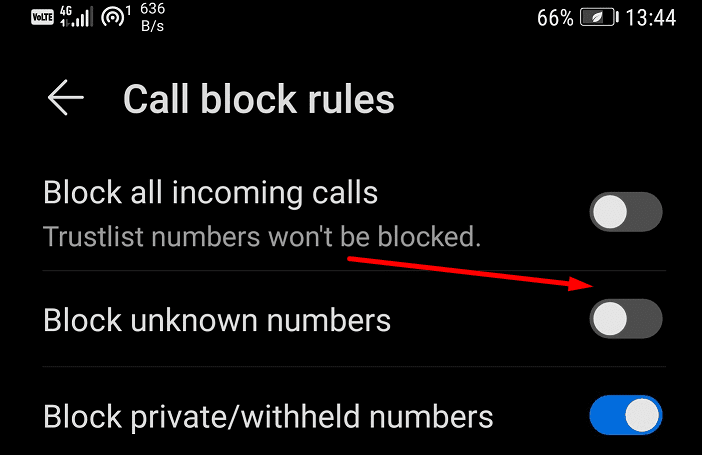
- On EMUI 10 and newer, select Call Block Rules and enable Block unknown numbers

- On EMUI 9, select the Block strangers option.
Block Calls From People Not in Contacts on Xiaomi
If you’re running MIUI 12, the only method you can use to block unknown contacts is to install a third-party app. Don’t worry, we listed a few app suggestions at the end of this guide.
Block Non-Contacts Calls on Meizu
- Launch the Phone app and select the hamburger menu
- Enable Call blocklist
- Toggle on Block calls from strangers.
Block Calls From Anyone Not in Contacts on Google Pixel
Enable Do Not Disturb on Google Pixel
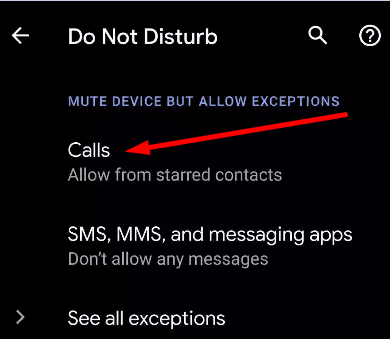
If you’re using a Google Pixel phone, you can let the Do Not Disturb option on all the time and then set it to Allow your contacts list.
- Go to your phone’s Settings
- Tap Sound & vibration → select Do Not Disturb
- Tap People → select Block or allow calls and allow calls coming from your contacts only.
Enable Call Screen on Pixel phones
Call Screen uses your phone’s contacts to decide whether to screen a call or not. The numbers saved in your phone as contacts won’t be screened.
- Get the latest Phone app version
- Tap More and go to Settings
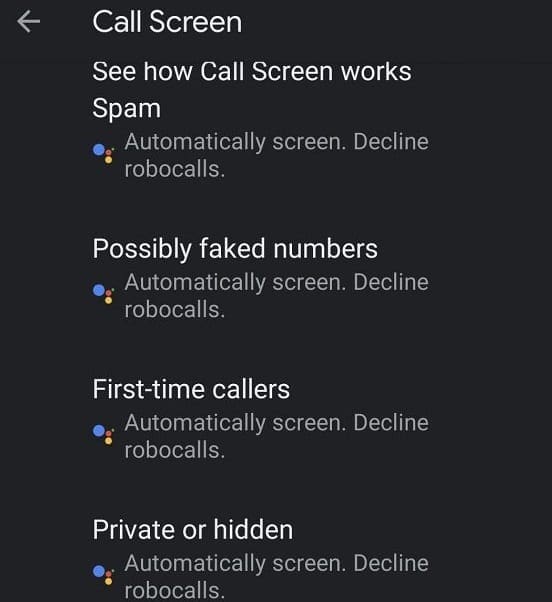
- Select Spam and Call Screen
- Enable See caller and spam ID
- Select Call Screen and go to Unknown call settings
- Enable the option Automatically screen. Decline robocalls.
Download an App to Filter Calls
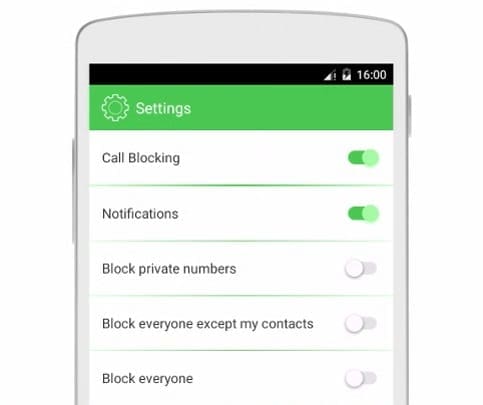
The are plenty of apps available in the Google Play Store that you can use to filter incoming calls and block calls from people who are not in your Contacts.
Some of the best apps include:
- Call Blacklist by Vlad Lee
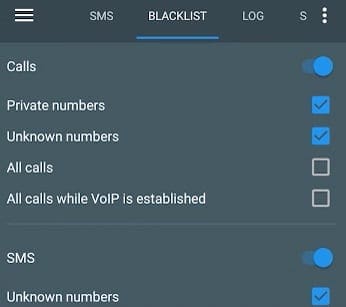
- CallBlocker by AndroidRock
- Call Blocker by KiteTech
And now you know how to block calls from people who are not in your Contacts.



I may have found a way to block calls that are not in contacts.
Drag down on top of screen to get your pull down menu and hold down “Do not disturb” button until its menu comes up, then you can allow exceptions.
There really should be a setting to this in the phone app.
Looks like Samsung does not allow blanket blocking of unknown calls on any of their phones. This is really BAD for Samsung.
I want to unblock nnumberd not in my contacts so they ring on a Motorola 1phone
I have a Motorola how can I get it done
Have a samsung A5 with block calls unless in my contacts list but some are still getting through how can I stop this annoyance
How do I block calls not in my contact list? Also block the unwanted calls from leaving voice-mail messages on my Samsung Galaxy S20 FE?
Hi
I need a app that will block any call or text that is not on my contact list. ????
Do the calls not in contacts go directly to voice mail or are they totally blocked. My brothers iphone sends them to voice mail and this is what I’d like to do with my android phone
I have my Samsung A01 set up to only receive calls from callers on my contact list. This I found DOES NOT work as I received a call that I never answered from a number I do not know. Plus, I did a reverse directory on it and it had NO ONE listed for it. Wish the Block calls worked on this phone.
This MUST become an option for ALL phones!! Now! it is way past due!
Still do not know how to block numbers not on contact list for a Samsun E10 phone using ATT service.