Developed in the late 1980s and early 1990s, the IEEE1394 standard was for a high-speed communication interface. In 1999, it was introduced to the market branded as FireWire by Apple. The same IEEE1394 standard was also branded as i.LINK by Sony, and Lynx by Texas Instruments.
FireWire generally uses a copper cable to transmit data and power, allowing devices with low power requirements to be powered directly via the other device. Copper cable implementations are limited to 4.5 meters or 15 feet in length. FireWire cables are also available in Cat5E and fibreoptic variants. However, these saw much lower levels of adoption.
Adoption
Apple introduced FireWire in its 1997 Macintosh models. However, the connector wasn’t included as standard and needed to be selected as an option. From 1999 FireWire was generally included as standard on most Macintosh computers.
FireWire was never widely adopted in the rest of the computer industry. There are two primary reasons for this. The first reason relates to patents. The IEEE1394 standard that FireWire is based on has ten patent owners that combined have 261 relevant patents. To make adoption easier, the group handed licensing off to the MPEG LA group, which charges a US$0.25 fee per unit upon manufacturing each utilizing product.
The other limiting factor in FireWire adoption was the release of USB. USB saw market uptake with the release of USB 1.1 in 1998. While USB offered slower speeds than FireWire (only beating it with USB 3.0), it was free to implement and required less complex peripherals.
Features
One of the advanced features of FireWire was that it allowed full duplex communication. That is simultaneous bi-directional signaling. FireWire was also a peer-to-peer system, allowing daisy-chaining or tree topologies. This complicates the signal processing a little compared to USB but means that no processing is needed on hubs making them less complex than is required for USB.
FireWire supports DMA and memory-mapped devices, allowing data transfers to happen without CPU interrupts or buffer-copy operations reducing the processing load on the CPU.
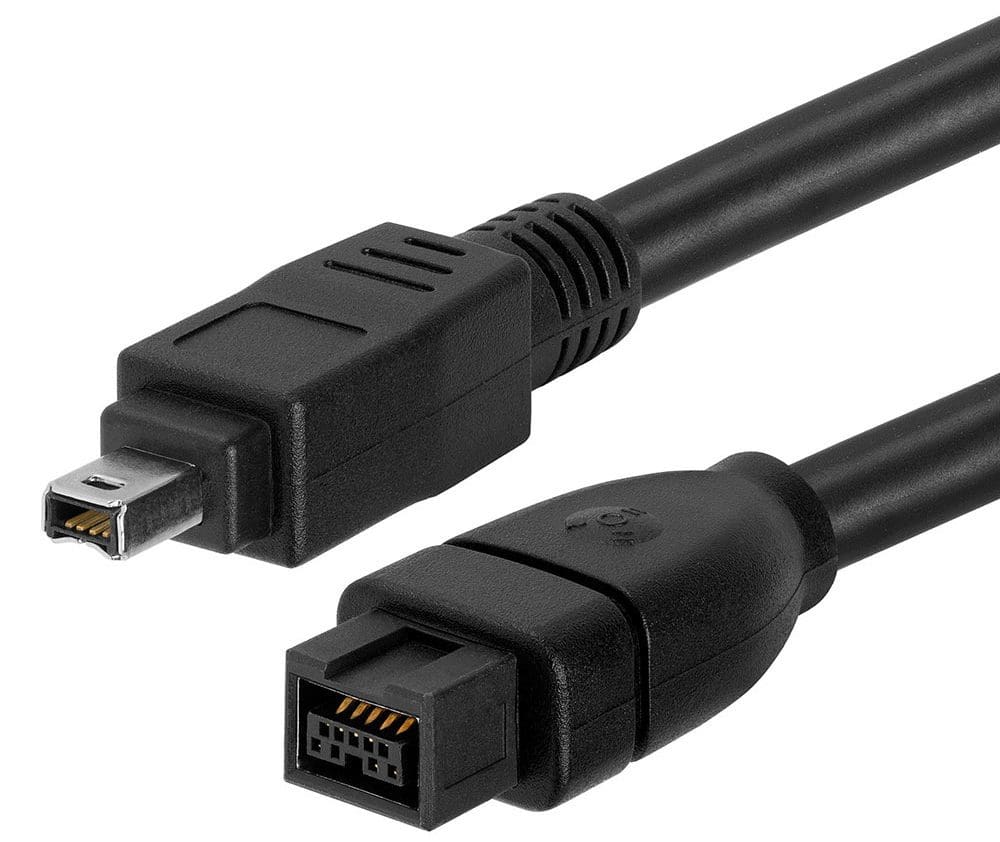
The physical connector for FireWire evolved over time. Initially, it used a six-pin connector. In the six-pin connector, two of the 6 pins were used to transmit power. These were technically optional, and in Sony’s i.LINK implementation of IEEE1394 generally was not used, leaving a 4-pin connector later added to the standard.
Transfer speeds of the original FireWire 400 spec were either 100, 200, or 400MBs half duplex. The cable length was limited to 4.5 meters per cable and could be daisy-chained up to a total cable length of 72 meters.
FireWire 800, released in 2003, updated the connector to a new 9-pin connector and increased data speeds to 800MBs full duplex. Technically the spec was backward compatible with FireWire 400. The new cable, however, was not backward compatible. This standard update also increased maximum cable length by adding the ethernet and optical fiber cable options. However, those were limited to 400MBs full duplex.
Development of the standard continued despite the move to USB already beginning on Apple products. A 1.6GBs and 3.1Gbs update were standardized though these didn’t become commercially available until 2012, when the connector was dead. The only notable user of this standard was a single model of Sony camera.
Replacement
In the market, USB eventually won out with the release of USB 3.0. Steve Jobs declared FireWire dead in 2008. Apple released its last computer with FireWire in 2012. USB and Thunderbolt replaced it on Apple devices, with Thunderbolt being a standard feature by 2014. Support is still present in modern operating systems. However, a USB adaptor would be needed if a physical FireWire port isn’t present on the intended device.
Conclusion
FireWire was an Apple proprietary connector standard intended to compete with USB. While it initially offered higher transfer speeds, it was eventually outcompeted by USB. It never saw broad takeup outside of Apple devices, with licensing costs being a factor. Apple replaced it with USB and thunderbolt connectivity in its devices. Don’t forget to leave your comments below.