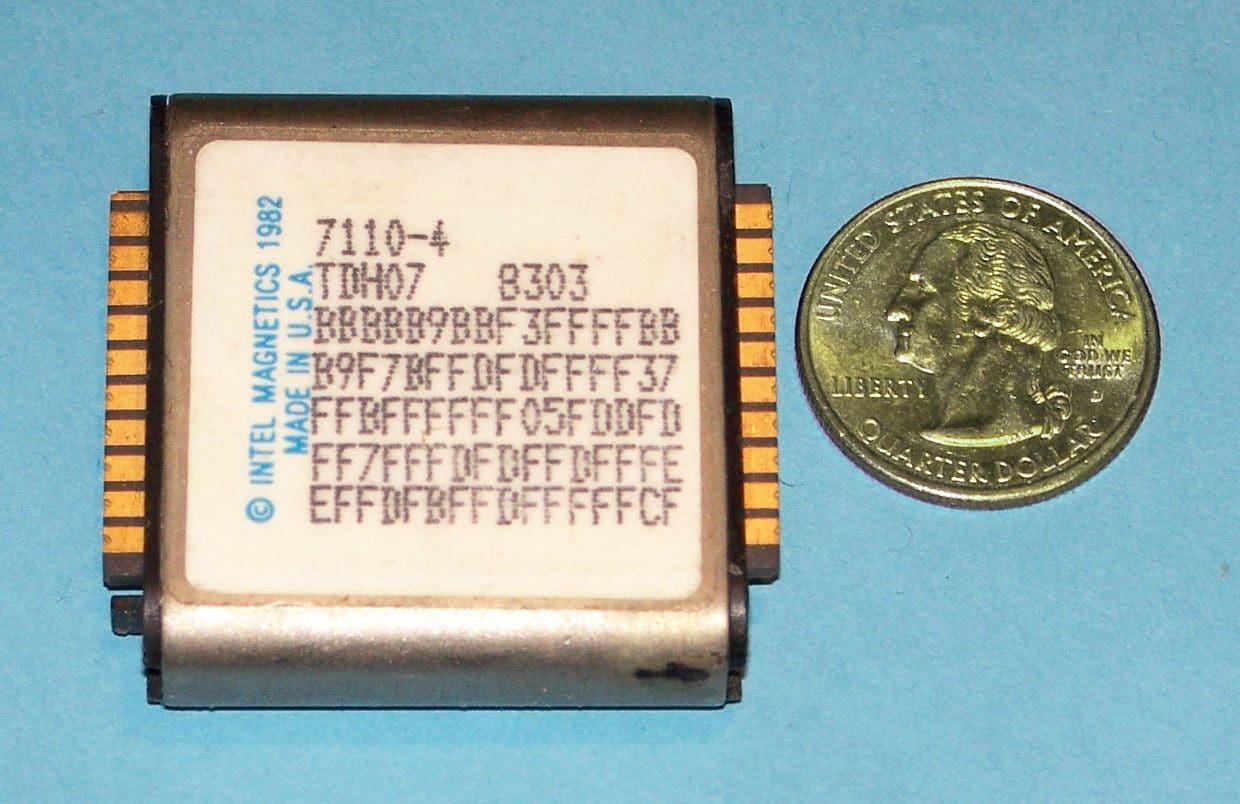
Bubble memory is a type of non-volatile computer memory. That means it’s a type of memory that can continue storing information even when the PC is powered down. Hard drives also use this type of storage, while RAM uses volatile memory – from which data stores are lost when the machine powers down.
Bubble memory gets its name from the way it looks. It uses a thin magnetic film that forms small, magnetized areas known as bubbles. Each of these bubbles stores one bit of data. The bubbles are arranged in a series of parallel tracks that let the bubbles move freely, transporting data. The bubbles move under an external magnetic field that manipulates them.
The computer that uses the bubble memory can move the bubbles to the edge of the material it’s made up of. The bubbles can be read by a magnetic pickup and then translated into a format that other PC parts can use. When that is done, the bit of data can be overwritten. That, too, happens at the edge of the memory module, and when that’s done, the bubble goes back into circulation.
The History of Bubble Memory
This type of memory is primarily the work of just one person – Andrew Bobeck. He worked on various types of magnetic projects and technologies. Bubble memory is heavily based on the older concept of twistor memory that first used the idea of a piece of magnetic tape to store information. This was a change from the previous memory types that relied on cores. Machines could automatically assemble twistor memory. This gave it a massive improvement in production speed over the manually made core memories.
In 1967, Bobeck started working on the way to improve twistor memory. Working with a team of other experts at Bell Labs, Bobeck eventually filed for a range of patents that culminated in the development of bubble memory.
It first became popular in the 1970s for its properties – it could store similar memory amounts as hard drives but offered performance speeds closer to RAM, and without moving parts, more like modern SSDs than HDDs. That made it a tremendous universal memory type with various uses – at least, at first.
It was, however, quickly replaced by far superior semiconductor memory chips. At the same time, hard drives underwent rapid improvements, which left bubble memory on the market’s outskirts, mainly due to price.
It was still used well into the 1980s in devices that needed to be shock-proof. Their moving parts make hard drives vulnerable to data loss from impacts. However, with the introduction of flash storage in the late 1980s, even that niche dried up, and bubble memory quickly disappeared entirely. As early as 1981, significant companies stopped working on the technology and began closing their factories or switching to manufacturing other types of memory instead.
Similar Technology
It’s worth noting that in 2008, IBM worked on the concept of racetrack memory. Although not identical to bubble memory, racetrack memory uses a similar idea. Essentially a one-dimensional version of it, racetrack memory was an in-between to bubble and twistor memory. Racetrack memory, however, never found commercial adoption and remained a proof-of-concept that was soon abandoned.
Conclusion
Bubble memory was a form of non-volatile magnetic memory. It was commercialized in the early 70s and then obsoleted in the late 80s. Performance-wise, it fits between RAM and HDDs at the time of its commercialization. HDD development, however, soon outperformed it. It left a niche for shock-proof devices thanks to its lack of moving parts. Flash memory, however, finally consigned it to the history books by competing in that niche with more outstanding performance.