
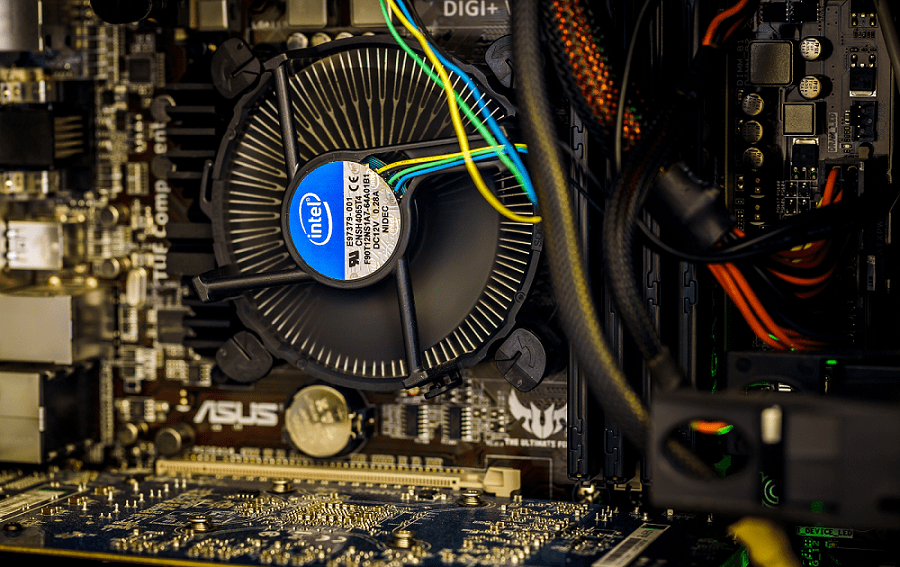
The CPU of any computer has a set frequency at which its clock ticks. The CPU clock’s ticking is critical to a CPU’s performance. In each tick, an instruction works through a stage in the CPU pipeline. This means that more instructions are completed per second for a faster clock rate. Generally, this is desirable; everyone has dealt with a slow computer.
Thankfully in many cases, a computer can run faster. Often two clock speeds are advertised, the base clock and the boost clock. The base clock is the standard speed. The boost clock is the guaranteed peak speed if you’ve got good enough cooling. The boost clock is often the primarily advertised speed because more significant numbers sell better, but the note about the cooling is particularly relevant.
Running a computer requires power and generates heat. If you run the same CPU at a higher clock speed, it can do more processing in the same amount of time, but it also draws more power and produces more heat. You generally need good cooling for high-end CPUs to dissipate the produced heat.
There’s even a whole community of computer enthusiasts that manually tinker with their computer’s performance in a process called overclocking. Here they increase the clock speed and try to manage the increased temperatures for improved performance.
Contents
What If You Don’t Need All of the Available Performance
Unless you’re running a particularly intensive task, such as video games, graphic rendering, or video editing – you probably aren’t using all of your processor’s performance. When a small number of CPU cores are being used and the CPU has thermal headroom, it may try boosting the CPU clock higher than the default boost speed. Typically, this won’t be by much as the boost clock is already near the limit of the CPU silicon, but you may get a little extra performance.
Of course, if your computer is idle, you don’t need extra performance. You want your computer to do as little as possible. To do this, the CPU downclocks itself. While there are limits on how low the CPU can reduce its clock speed, it can go reasonably far. Doing so reduces the power draw of the computer and the heat it produces. Both of these features are great for users whose computers are sitting idle. They’re also good for the environment, though it’s better to turn your computer off overnight or if you know you will not use it for a while.
Downclocking does have a performance impact on the computer. Tasks will run slower. But the CPU can increase its clock speed up to its boost clock whenever you need its performance. Additionally, downclocking only happens automatically when the computer is idle, so there’s no real downside.
Manually Downclocking
It is possible to downclock your CPU, which is generally called underclocking manually. Underclocking has the same benefits and drawbacks but has the caveat that it’s a manual setting. The computer can’t automatically override it to offer more processing power. this generally might be seen as a disadvantage. However, in some scenarios, such as when dealing with a small form factor computer, it might not be possible to cool a CPU at its peak performance properly, so underclocking a bit keeps the temperatures manageable.
It might surprise you that underclocking or downclocking doesn’t have that huge of an effect on your actual processing power. You might expect to see half the performance if you halve the clock speed. Instead, you will generally see better than half. This is because the CPU can run better as it runs cooler. As the clock speed increases, there are diminishing returns in CPU performance. Interestingly, this would also use less than half the power, though the heat produced depends on ambient temperatures.
Underclocking is an excellent way to manage temperatures that are too high, where better cooling isn’t an option. It’s also a good option for managing your PC’s power draw. Careful adjustment can see a good improvement in temperatures and power usage with only a minimal performance impact.
Conclusion
Downclocking is the process of a CPU automatically reducing its clock speed when idle. Doing so helps to reduce its idle power draw and heat production. Technically it does result in reduced performance. However, the CPU can automatically increase its clock speed again whenever you demand processing power from it, so the user has no downside.
The process of manually downclocking is generally referred to as underclocking. This delivers the same benefits with the caveat that the computer can override them. This can be useful when working with powerful hardware in a constrained thermal environment. In this case, it can reduce the temperatures and power draw with only a minimal performance impact.





This article is like “what is water” and then it just goes on and on, without giving any practical solutions or tips
“Rain is a wonderful way to get wet. Why does rain occur?”
Perhaps it’s all for SEO