Skip to content
LogoTechnipages
LogoTechnipages
  • Topics
        • Android
        • Browsers
        • Gaming
        • Hardware
        • Internet
        • iPhone
        • Linux
        • macOS
        • Office
        • Reviews
        • Software
        • Windows
        • Definitions
        • All Recent Posts
  • Product Reviews
  • About

Teams: A File with the Same Name Already Exists

Madalina DinitaDecember 16, 2020 Comments (1)
teams a file with the same name already exists

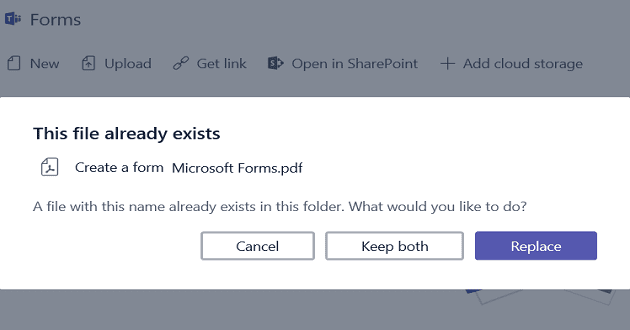
Many Microsoft Teams users got this error message when they tried to upload a new file to the chat: ‘A File with the Same Name Already Exists.’

Every file name should be unique if you want to avoid this error in the first place.

Contents

  • 1 Microsoft Teams the File Already Exists
    • 1.1 Check If the Two Files Are One and the Same
    • 1.2 Rename the File

Microsoft Teams the File Already Exists

This error may prevent you from uploading the same file to two different chat groups. This happens because the two files get stored in the same location.

Teams send all the files you received via chat conversations to the same folder. This is how the program works by design.

Check If the Two Files Are One and the Same

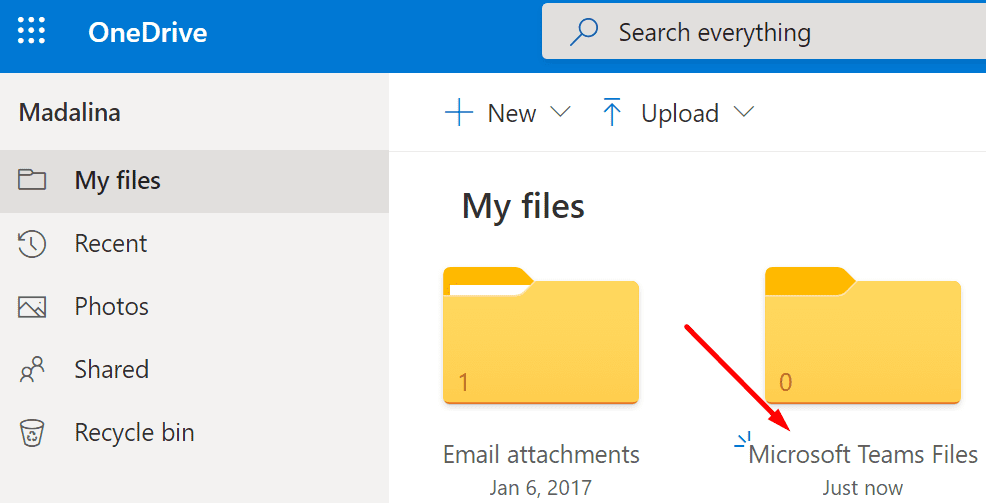
This alerts usually occurs when users shared two files with the same name. Maybe you uploaded one of the files from your computer. And you shared the other file from OneDrive or another online storage service.

You can avoid getting this error by using a single source to upload your files.
onedrive microsoft teams files

Our suggestion is to use OneDrive to share files on Microsoft Teams. By doing that, you’ll actually share the file stored in your OneDrive folder. So, you won’t duplicate it anywhere else. You’ll use a single source for your files with all the people enrolled in that chat group. Of course, this also means giving them access to the respective file.

Rename the File

Another workaround is to simply rename the file. Check if the two files are one and the same. If this is the case, you may not need to share the second file after all.

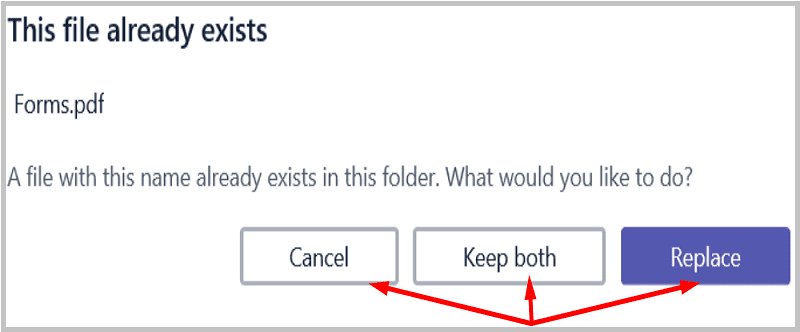
When this error pops up, Teams gives you three options.
ms teams this file already exists


  1. Cancel. You can simply cancel the upload and rename your file. Change the file name, and the error should be gone.
  2. Keep both. Yes, you’ll have two files with the same file name. This may cause a bit of confusion among users, especially if multiple users work on that file. Try to avoid confusing file names.
  3. Replace. If you select this option, you’ll replace the first file with the second one. In other words, the new file will override the existing file version.

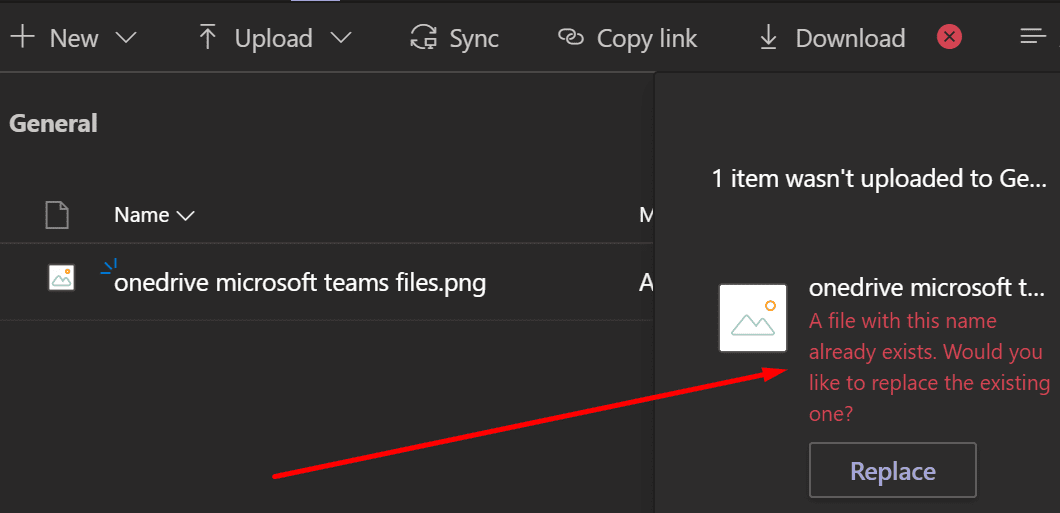
There are also situations when Teams only gives you the option to replace the file.
microsoft team a file with this name already exists error

We hope this guide brought you some clarity as to why Microsoft Teams says the file you’re trying to upload already exists.


Categories: Software

Author Madalina Dinita

Madalina has been a Windows fan ever since she got her hands on her first Windows XP computer. She is interested in all things technology, especially emerging technologies -- AI and DNA computing in particular.

You Might Also Like

  • How to Remove Apps from Microsoft Teams

    Madalina DinitaSoftware
  • unable to record zoom meeting fix

    Why Can’t I Record Zoom Meetings?

    Madalina DinitaSoftware
  • Fix Microsoft Teams Error Code caa30190

    Microsoft Teams Error Code CAA30190

    Madalina DinitaSoftware
  • How to Fix Dropbox Preview Not Working

    Madalina DinitaSoftware

Comments

  1. slashdot OG AC says:
    January 26, 2023 at 1:39 pm

    I found it, not thanks to this article–
    C:\Users\\OneDrive – \Microsoft Teams Chat Files

    So tell me– *why* for the love of whatever you believe in are the files from ALL chats stored IN THE SAME FOLDER?

    Who thought that was a good idea?

    Would it be so horribly difficult to make a separate folder for each chat?

    If you try to tell me that a bunch of developers sat around and, *as a group* decided this was “good” or “best”, I will not believe you.

    Also– You Should Learn How To Write Articles That Don’t Speak Condescendingly To The User When The Real Issue Is Your Lack Of Understanding Of Good User Interface Design. (Like as if i didn’t know it’s a bad idea to have two files in the same folder with the same name. smh)

Leave a Reply

Your email address will not be published. Required fields are marked *

  • camera not working in vmware

    Camera Not Working in VMware – How to Fix

  • browser screen goes black

    Browser Screen Goes Black Intermittently 

  • computer heating up in hyper v

    Computer Heating Up When Using Hyper-V – How to Fix 

  • clipchamp unexpected application error

    Clipchamp Unexpected Application Error: Here’s the Solution 

  • winload.efi file missing error

    Winload.EFI File Missing Error on Boot – How to Fix

profile pic

The Experts Behind Technipages

My name is Mitch Bartlett. I've been working in technology for over 20 years in a wide range of tech jobs from Tech Support to Software Testing. I started this site as a technical guide for myself and it has grown into what I hope is a useful reference for all.

Learn More

technipages logo white
linkedin icon

Technipages is part of Guiding Tech Media, a leading digital media publisher focused on helping people figure out technology. Learn more about our mission and team here.

© 2025 Guiding Tech Media All Rights Reserved

  • About Us
  • Contact
  • Terms of Use
  • Privacy Policy

© 2025 Guiding Tech Media All Rights Reserved

Information from your device can be used to personalize your ad experience.
Do not sell my personal information.

Last Updated on December 16, 2020 by Judy Sanhz