Skip to content
LogoTechnipages
LogoTechnipages
  • Topics
        • Android
        • Browsers
        • Gaming
        • Hardware
        • Internet
        • iPhone
        • Linux
        • macOS
        • Office
        • Reviews
        • Software
        • Windows
        • Definitions
        • All Recent Posts
  • Product Reviews
  • About

How to Remove a PopSocket Without Breaking Anything

Madalina DinitaMarch 16, 2022 Comments (1)
Remove-PopSocket-From-Phone

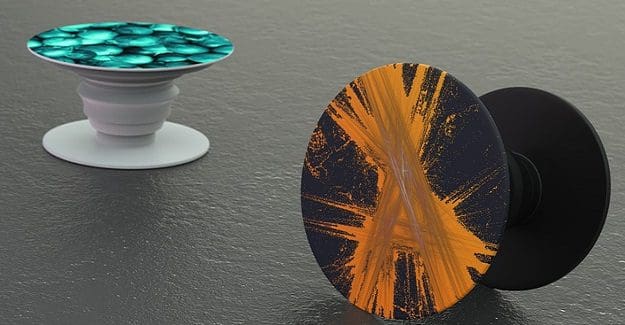
As people spend more and more time hooked to their screens, phone manufacturers decided to add bigger displays. But bigger devices are quite hard to operate single-handedly. This is where PopSockets enter the scene. These accessories can help you get a better grip on your device. They’re primarily used as a grip or a stand for mobile devices.

Let’s say you bought a new device and you want to remove the PopSocket from your old phone to attach it to your new device. Well, removing a PopSocket is not an easy task. You need a lot of patience, dexterity, and the right tools to get the job done.
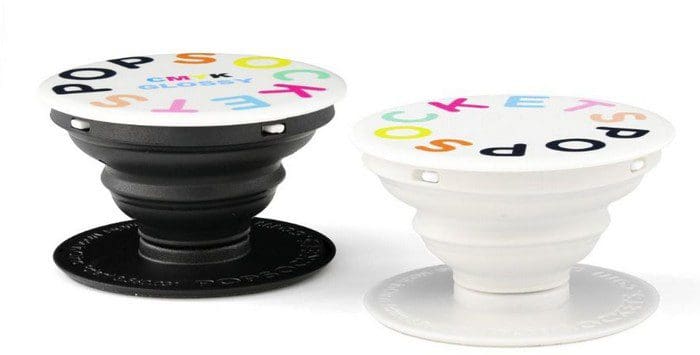
Popsocket

Contents

  • 1 How Can I Safely Remove a Popsocket?
    • 1.1 Magnetic PopSockets Are Easier to Remove
    • 1.2 Conclusion

How Can I Safely Remove a Popsocket?

  • Step 1: Collapse the PopSocket.
  • Step 2: Move your fingernail around the PopSocket to detach it from your phone. Long fingernails are perfect for this task.
  • Step 3: Gently pull the PopSocket away from your device.
  • Step 4: Attach the accessory to your new device.

Don’t wait for too long. You should attach the PopSocket to your new device within a 10-minute window. The adhesive gel is reusable by design but will quickly dry out in contact with air.

⇒ A quick tip: You can also use dental floss to remove your PopSocket. Gently slide it under your PopSocket until you manage to detach it from your phone.

Magnetic PopSockets Are Easier to Remove

If you find it difficult to remove sticky PopSockets, maybe you should switch to a magnetic PopSocket. Magnetic PopSockets don’t attach to your phone case with glue. They rely on magnets, which means that you can remove them effortlessly. Of course, they’re not as strong as adhesive-based PopSockets. If you don’t buy a new phone every two months, you should go for a sticky PopSocket.

Conclusion

To remove your PopSocket from your phone, first, you need to collapse it. Then, move your fingernail around it until you manage to detach it from your device. Alternatively, you can slide dental floss underneath your PopSocket. Be sure to attach it to your new device before the adhesive gel dries out.

Did you manage to remove your PopSocket? Are you planning to switch to a magnetic PopSocket any time soon? Let us know in the comments below.


Categories: Hardware

Author Madalina Dinita

Madalina has been a Windows fan ever since she got her hands on her first Windows XP computer. She is interested in all things technology, especially emerging technologies -- AI and DNA computing in particular.

You Might Also Like

  • 3 Ways to Disable Amazon Echo Spot Camera

    Mitch BartlettHardware
  • How to Restart and Turn On Fitbit Charge 4

    Andrew MyrickHardware
  • fix-chromebook-system-is-repairing-itself

    Fix Chromebook: Your System Is Repairing Itself

    Madalina DinitaHardware

Comments

  1. Dee says:
    October 5, 2023 at 6:57 am

    Not as easy as described if pop socket has been on for a long period of time…like over a year to 2 years. The only time I have been able to remove a popsocket without damage is if it has only been a few months otherwise bond is too strong to remove from case without damage. Then remaining adhesive is severely damaged and won’t stick properly. Just my experience.

Leave a Reply

Your email address will not be published. Required fields are marked *

  • signs your hdd is failing

    Signs That Your HDD Is Failing

  • how to fix error code 0x800705b4 in windows 11

    How to Fix Error Code 0x800705b4 in Windows 11

  • does chromebook need an antivirus

    Does Chromebook Need an Antivirus?

  • top vpns

    Top 5 VPNs to Keep Your Information Private in 2026

  • npu power management bug

    What Is the NPU Power Management Bug and How Do You Fix It?

profile pic

The Experts Behind Technipages

My name is Mitch Bartlett. I've been working in technology for over 20 years in a wide range of tech jobs from Tech Support to Software Testing. I started this site as a technical guide for myself and it has grown into what I hope is a useful reference for all.

Learn More

technipages logo white
linkedin icon

Technipages is part of Guiding Tech Media, a leading digital media publisher focused on helping people figure out technology. Learn more about our mission and team here.

© 2026 Guiding Tech Media All Rights Reserved

  • About Us
  • Contact
  • Terms of Use
  • Privacy Policy

© 2026 Guiding Tech Media All Rights Reserved

Information from your device can be used to personalize your ad experience.
Do not sell my personal information.

Last Updated on March 16, 2022 by Judy Sanhz