
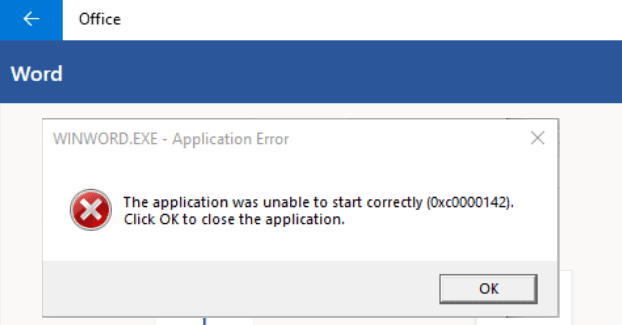
Opening a Microsoft Office document may sometimes turn into an exhausting troubleshooting saga. Error code 0xc0000142 can sometimes rear its ugly head, preventing you from launching your Office apps. Unfortunately, restarting Office and rebooting your computer doesn’t always help. If you’re looking for additional solutions to fix this issue, follow the steps below.
Contents
How Do I Fix Microsoft Office Error 0xc0000142?
Update Office
First things first, make sure to install the latest Office version on your machine.
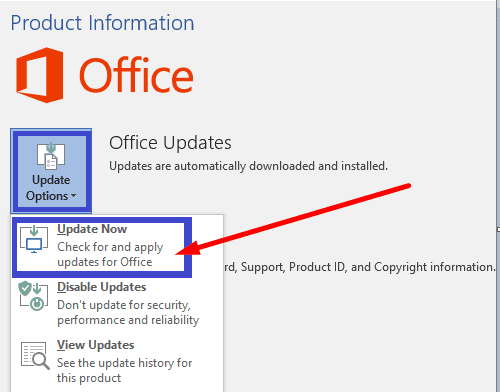
- Launch any Office app you want, click on File and go to Options.
- Then click on Update Options, and hit the Update Now option.
- Restart your Office app and check if the error persists.
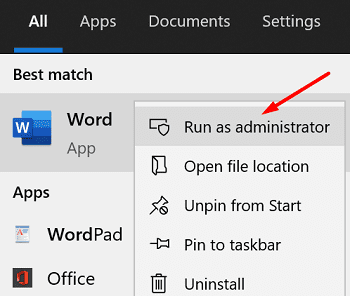
Make sure to run your Office apps with admin privileges. Right-click on the respective app and select Run as administrator. Enter the name of the app you want to launch in the Windows Search bar.
Repair Your Office Files
If your Office installation files got corrupted, repair them and check the results.
- Navigate to Settings, and click on Apps.
- Then go to Apps & Features, and select Microsoft Office.
- Go to Advanced Options, select Modify, and hit the Repair option.

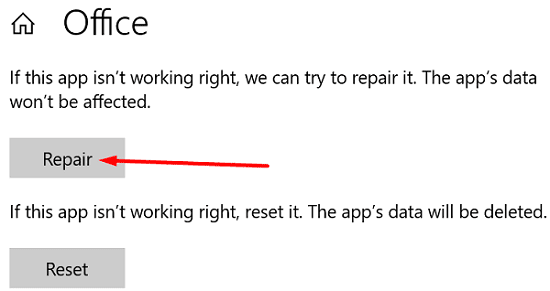
Alternatively, you can also use Control Panel to repair Office.
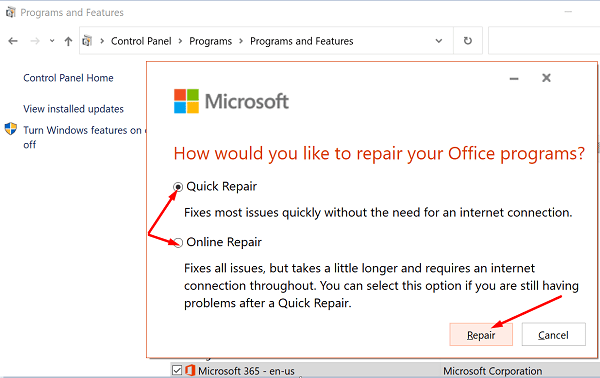
- Launch Control Panel, and select Programs and Features.
- Click on your Office package, and hit the Change option.
- First, run the Quick repair tool.
- If the issue persists, run the Online repair tool as well.

- Restart Office and check if error code 0xc0000142 is history.
Restart the ClickToRun Service
- Launch the Task Manager, and click on the Processes tab.
- Under the Services section, locate ClickToRunSvc.
- Right-click on the service and select Restart.
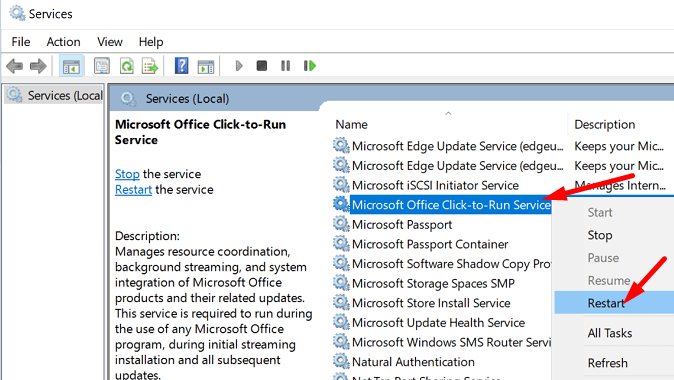
Alternatively, you can also use the Services app to restart ClickToRun.
- Type services in the Windows Search bar and launch the Services app.
- Scroll down to Microsoft Office Click-to-Run Service.
- Right-click on the service and select Restart.
Take Ownership of the Drive Where You Installed Office
- Right-click on the drive where you installed your Office package.
- Select Properties, go to Security, and click on Advanced.
- Then check the ownership information. If the ownership settings are incorrect, hit the Change button.

- Enter your admin name in the object name field and then select it from the search results.
- Take ownership of the drive, and save the settings. Relaunch Office, and check if your apps are loading properly now.
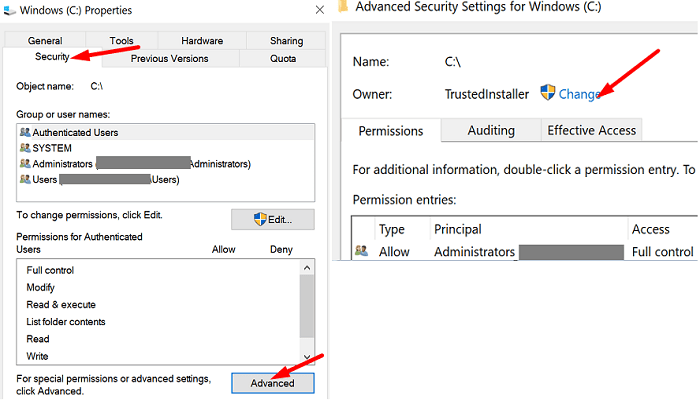
Many users that had TrustedInstaller listed as the drive owner confirmed they solved the issue after using the admin account to take ownership of the drive. Hopefully, this solution does the trick for you as well.
Conclusion
To fix Office error code 0xc0000142, install the latest Office updates on your computer. Then make sure to launch your Office apps with admin rights. If the issue persists, restart the ClickToRun Service, and repair Office. Did these tips help you troubleshoot the problem? Let us know in the comments below.



reinstalling worked
No, none of the fixes worked. I can open Excel and Word, but cannot open Outlook on this computer. I try to open the app for Microsoft 365 and only a blank – white – box shows. No icons are displayed, nothing is visible in the box.
After many other unsuccessful tries from others, your suggestion to repair the office file worked first time!
All office aps are working again.
Thank you very much for this helpful tip.
Thank you for your help. control panel quick repair did the trick! Bless you for putting this on the internet!
I repaired office unsuccessfully, still doesn’t start
Thank you so much for your help! I was able to access the excel files I needed. I couldn’t have done it without you!
Diane K
No, None of the office aps open – all give errorcode 0xc000142 so coule not even get to step 1