The main role of a password manager is to save and manage your passwords. Password managers are sometimes subject to technical issues and may occasionally fail to save your login information. LastPass, one of the most popular password managers in the world, is no exception. In this guide, we’ll explore why LastPass may fail to save new passwords and how you can fix the problem.
Contents
Why Won’t LastPass Save My Passwords?
Disable Browser Autofill
First of all, make sure LastPass is the only password manager running on your device. Uninstall other similar programs to prevent software conflicts.
Additionally, check if your browser’s password autofill feature is enabled. If this is the case, disable it and check if LastPass saves your passwords now.
If you use a Chromium-based browser, go to Settings and then locate the Autofill section. Navigate to Passwords and disable the following options: Offer to save passwords and Auto Sign-in.
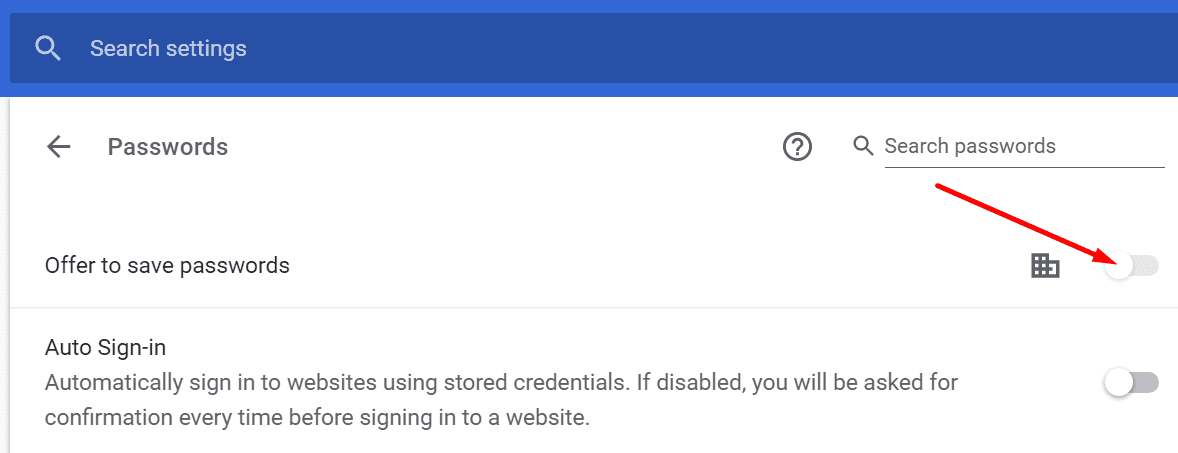
Restart your browser and check if the issue is gone.
LastPass Not Saving Passwords on Safari
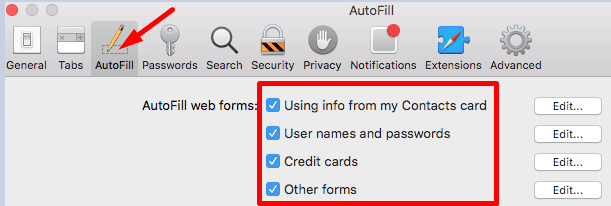
If Safari is your browser of choice, navigate to Preferences and click the AutoFill icon. Turn off the AutoFill settings and disable the following options:
- Using info from my contacts
- User names and passwords
- Credit cards
- Other forms.
Clear the Cache and Disable Your Extensions
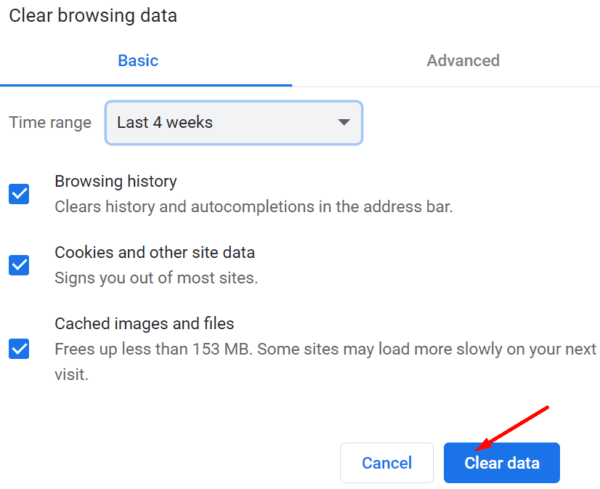
Your browsing data (cache and cookies) may sometimes interfere with LastPass preventing the tool from saving new login information. The same is valid for your browser extensions. Clear the cache, disable all the extensions and check the results.
Launch your browser, click on More options (the three dots), go to History and select the browsing data section. Select the time range, and hit the Clear data button.
Next, go to Extensions (or More tools and then select Extensions) and manually toggle off all your extensions except LastPass.
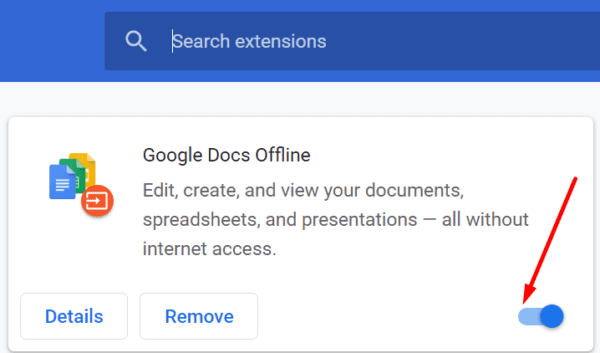
Refresh your browser and check if this solution solved the problem.
LastPass Not Saving Generated Passwords
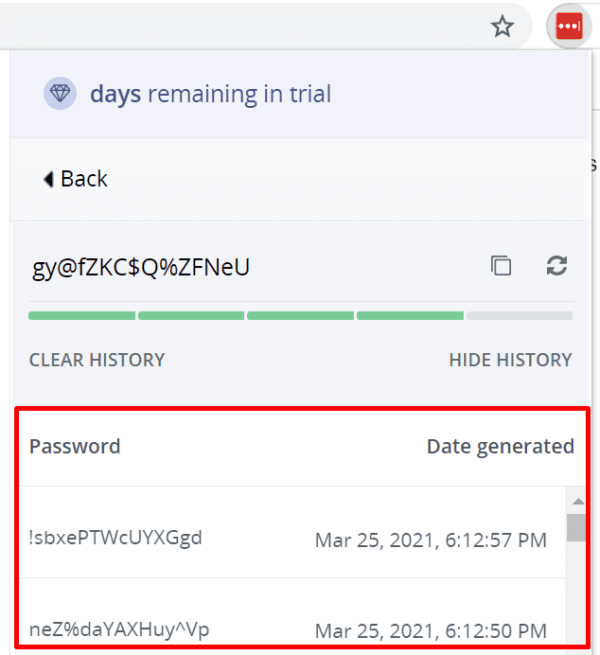
LastPass keeps a history of all the generated passwords. If you still have the same browser session open, navigate to Generate Secure Password. Click Show History to display the passwords the tool has generated for this session. You can then manually copy and save the respective passwords.
Reinstall LastPass
If the issue persists, try reinstalling LastPass. First, uninstall the tool and restart your computer to get rid of all the temporary files from the previous session. The reinstall LastPass and check if the issue is gone.
On Chrome and other Chromium-based browsers, go to Extensions, locate LastPass, and hit the Remove button.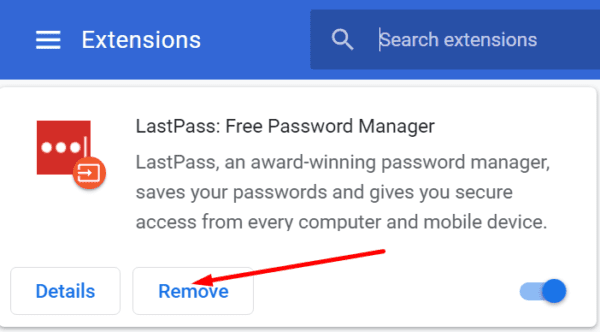
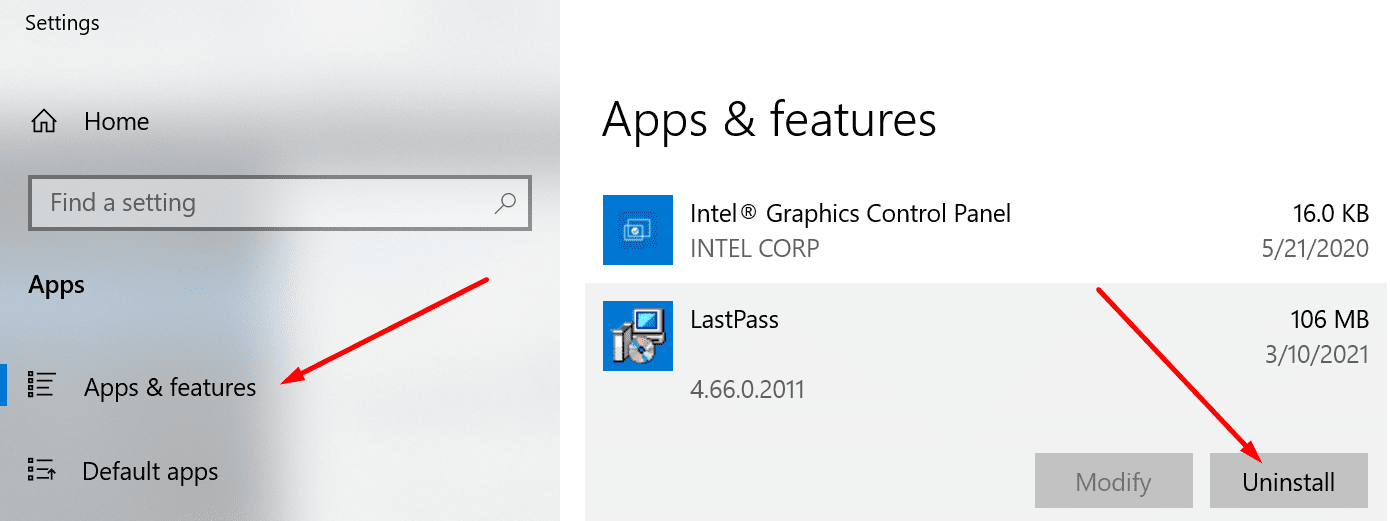
If you’re on Windows 10 and you also installed the LastPass app, navigate to Settings, select Apps, go to Apps and Features and uninstall LastPass.
On Safari, navigate to Preferences, click on Extensions, select LastPass, and then hit the Uninstall option. Then go to the Applications folder, select the LastPass App icon and move it to Trash.
Conclusion
If LastPass won’t save new passwords, make sure other password managers aren’t blocking the tool. Additionally, prevent your browser from saving new login information. If nothing works, reinstall LastPass. Did you find additional solutions to troubleshoot LastPass not saving new passwords? Share your ideas in the comments below.