Skip to content
LogoTechnipages
LogoTechnipages
  • Topics
        • Android
        • Browsers
        • Gaming
        • Hardware
        • Internet
        • iPhone
        • Linux
        • macOS
        • Office
        • Reviews
        • Software
        • Windows
        • Definitions
        • All Recent Posts
  • Product Reviews
  • About

Galaxy S10e: How to Find IMEI

Mel HawthorneMarch 25, 2020 Comments (0)

Your IMEI is a unique identification code that lets phone providers know what device you’re using. Short for International Mobile Equipment Identity, these numbers can be found in just about every phone.

Even two otherwise identical Samsung Galaxy S10e devices will have unique IMEI codes – by giving yours to your phone provider, for example, they can register the device as yours (in some cases).

You may also need the device if you want to sell it, as the unique number tells some info about your phone, such as its manufacture date. Don’t worry though – it does NOT provide any personal info about you, nor does it give access to your device to anyone!

Here’s how to find your IMEI:

First, you need to go into the Settings app. To do so, swipe down on your homescreen and press the cogwheel icon in the top right corner to open the Settings.
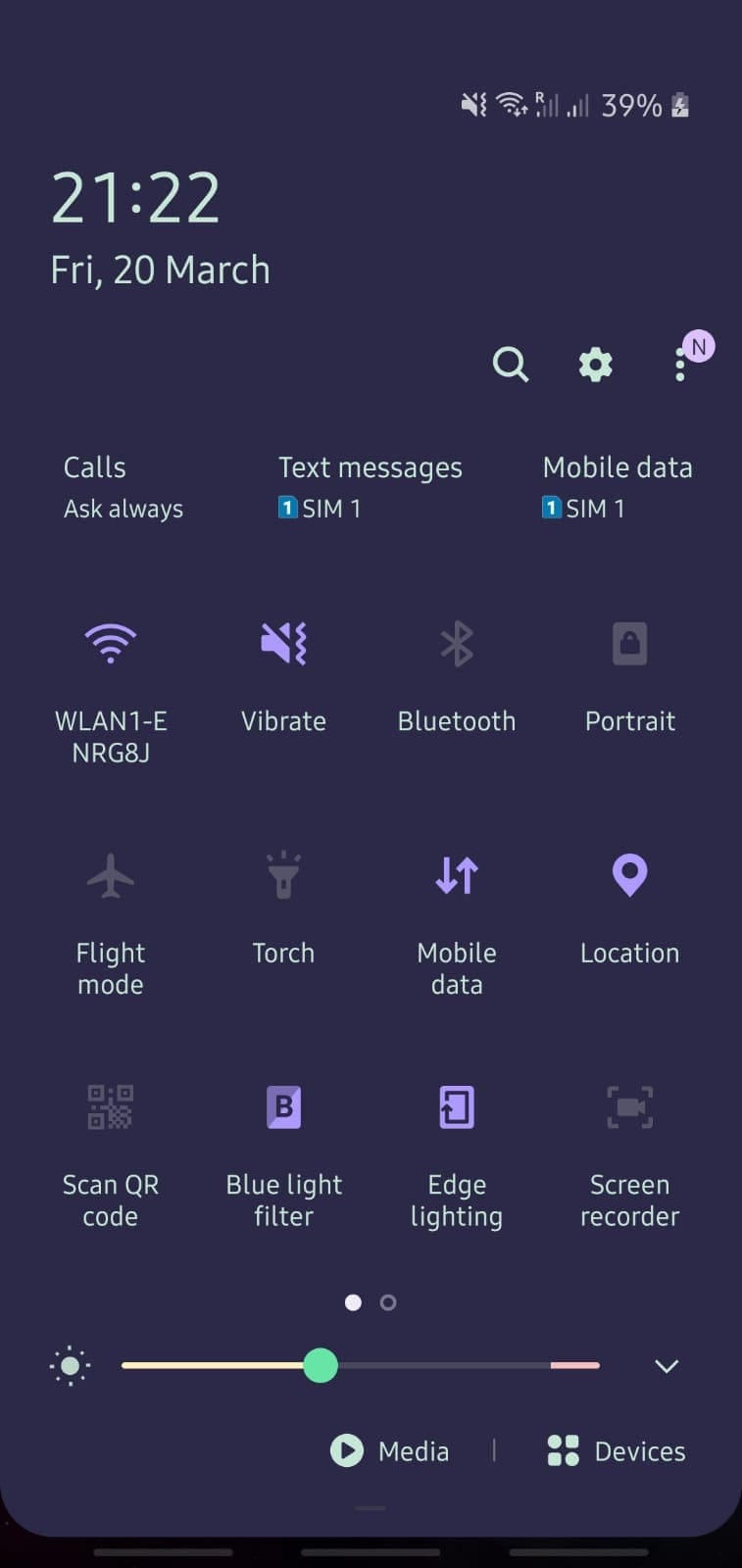
Settings icon in tray (top right)

Scroll all the way down to the About Phone option and tap it. Near the top, you’ll see your IMEI – a long number.
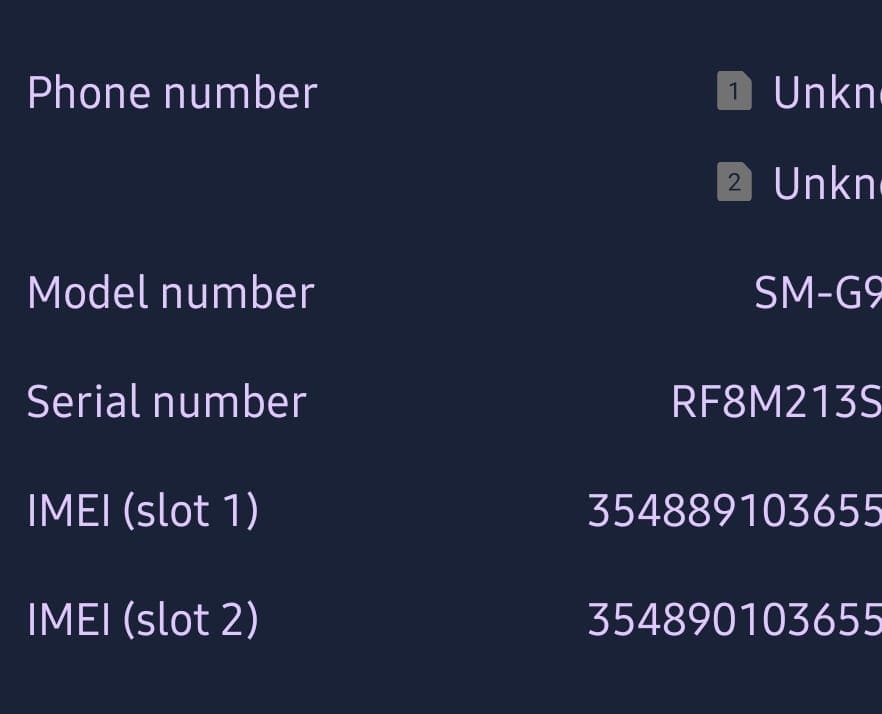
Example IMEI

Tip: If your phone supports multiple SIM cards, each SIM slot will have its own IMEI! If you have to give your IMEI and you have a dual SIM model, write down both numbers. In most cases, it will be identical save for the last few digits.

Categories: Android

Author Mel Hawthorne

You Might Also Like

  • Everything You Need to Know About Samsung Secure Folders

    Judy SanhzAndroid
  • How to Add a Podcast to a Spotify Playlist

    Judy SanhzAndroid
  • What Are App Actions and How to Use Them

    Judy SanhzAndroid
  • Galaxy S22 Ultra Camera App

    Galaxy S22: Enable/Disable Auto Rotate Screen

    Andrew MyrickAndroid

Leave a Reply

Your email address will not be published. Required fields are marked *

  • fix error 0x9cfc7550

    How to Fix Error 0x9cfc7550 (We Couldn’t Create a New Partition) in Windows 

  • fix error code 0x3000008 1

    How to Fix Error Code 0x3000008 for Remote Desktop Connection

  • fix error code 0x80190001 1

    How to Quickly Fix Error 0x80190001 for Microsoft or Outlook Account Login 

  • fix filecoauth.exe application error

    Fix FileCoAuth.exe Application Error 

  • fix error code 0x80010002 in windows update

    How to Fix 0x80010002 Error in Windows Update 

profile pic

The Experts Behind Technipages

My name is Mitch Bartlett. I've been working in technology for over 20 years in a wide range of tech jobs from Tech Support to Software Testing. I started this site as a technical guide for myself and it has grown into what I hope is a useful reference for all.

Learn More

technipages logo white
linkedin icon

Technipages is part of Guiding Tech Media, a leading digital media publisher focused on helping people figure out technology. Learn more about our mission and team here.

© 2025 Guiding Tech Media All Rights Reserved

  • About Us
  • Contact
  • Terms of Use
  • Privacy Policy

© 2025 Guiding Tech Media All Rights Reserved

Information from your device can be used to personalize your ad experience.
Do not sell my personal information.

Last Updated on March 25, 2020 by Mitch Bartlett