SLA and MSLA resin printers both work by hardening a photosensitive resin with a UV light source. The printer then adjusts the build plate and hardens the next layer. This technique has several advantages over standard FDM 3D printing. Both SLA and MSLA printers offer significantly higher resolution than FDM printers, allowing for smooth prints with smaller fine details.
MSLA printers also harden an entire layer at once, which provides a significant speed improvement. It also eliminates the time penalty of printing multiple parts at once. Resin prints still need to be post-processed though, they’re not ready to go as soon as the print is complete.
The first post-processing step is to wash the print, ideally with isopropyl alcohol to wash away any uncured resin. PPE (Personal Protective Equipment) is important here. As the uncured resin is pretty toxic, don’t let the resin touch your skin. Nitrile gloves are a must, but you may also want a proper filtering mask too, especially if you’ve been repeatedly exposed to uncured resin in the past. Any exposure can cause contact dermatitis; repeated exposure can lead to an allergy.
Curing Resin Prints
Once your part is cleaned off, it will still be soft and sticky because it still needs to be cured. The UV light source in the printer is enough to give the print shape but not enough to fully cure the resin. To complete the curing process, you need to expose it to more UV light.
While you can place your print in sunlight to cure it, there are a few issues with this. While the Sun does emit the UV-A that cures the resin, it also emits the higher energy UV-B and UV-C radiation. This high-energy ultraviolet light breaks down the cured polymers leaving the print more brittle and with a sunburned look. The heat from being in the sun can also cause the curing resin to warp. To get an even cure, you should regularly turn the print.
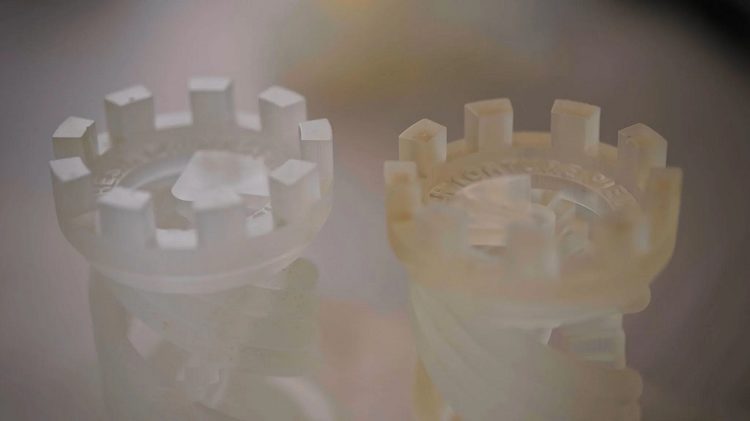
The other alternative is to get a curing station. These generally involve several UV lights and a turntable. These only give off useful UV-A radiation and also automate the turning process. Curing chambers also work a lot faster than leaving your print in the sun. This depends on the size of your print, how transparent the resin you used is, and how intense the lights are.
You may only need a 3–10-minute curing time rather than the 30 minutes or more it’d need in the sun, depending on the level of cloud cover. You still have to be careful about over-curing your prints, though, as leaving them under the UV light for too long can still make them brittle.
Curing is an important post-processing step for resin 3D printing. Buying or making your own curing station can help achieve consistently good results. How do you cure your resin prints? Do you use all-natural solar lighting, a store-bought curing station, or have you made your own solution? Let us know down below.