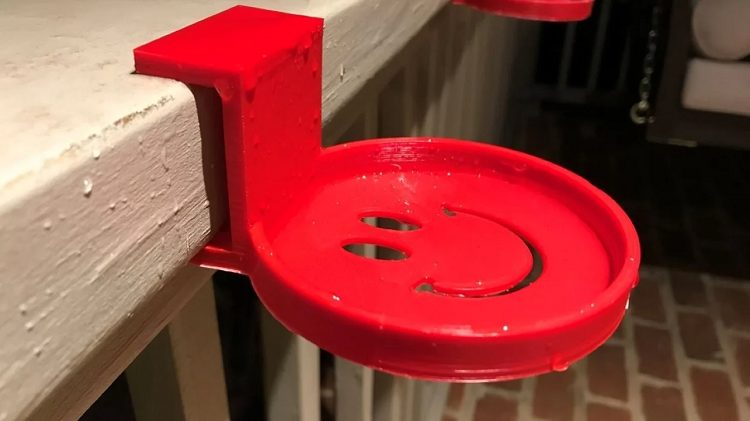
There are many reasons you may want to make a waterproof print. 3D printing can be a helpful and fun tool in almost any application. For example, you may want to make a drinks holder that can handle the occasional spill. Many applications involve long-term submersion in water. When designing parts for this, though, you’ll want to be sure that they won’t just break down or dissolve.
It’s important to note that waterproofing isn’t the same as watertight. For example, a part that spends its life span underwater will need to be resistant to water. Still, it doesn’t necessarily matter if water seeps into it. If you’re printing a water bottle, however, this needs to be both waterproof and watertight.
Selecting a Material
Most filaments are hygroscopic, which means that they readily absorb water, even moisture from the air. Once they’ve been printed, though, this changes a lot. Most printed materials can at least survive occasional splashes of water. The main exception to this is PVA, primarily used as a support structure material because it readily dissolves in water.
The most popular printing materials PLA, ABS, and PETG, can all handle water in some regard. PLA is fine for dealing with cold water but should not be used with hot water as it has a low glass transition temperature of just 60°C. ABS is waterproof and can handle boiling water but can crack and even deform in the cold as it suffers from thermal contraction.
PETG is the primary material used for water bottles as it is waterproof. It is also fairly temperature resistant, being able to handle water up to 80°C. Polypropylene is reliably able to handle boiling water; however, it is difficult to print due to very high-temperature requirements.
Other Considerations
If you’re printing something to handle food or drinks, you must ensure that you use a material that is food safe. Temperature can be an important factor if you’re wanting to handle dishwashers, boiling water, or ice water, for example.
Increasing the number of shell layers can help to strengthen a print, giving it a little more resistance against water or temperature-related weakening. Post-processing smoothing such as acetone smoothing of ABS.
Smoothing is helpful as it eliminates or fills in layer lines, reducing the weak points in the print. Additive smoothing with epoxy or even wax also offers the advantage that the added material then offers its water resistance, rather than relying on the resistance of the plastic.
Conclusion
Have you got any other tips for waterproofing prints? Let us know down below.