PCI-X or Peripheral Component Interconnect Extended is the type of data communication system used in computers. More specifically, it’s the name of a kind of bus used to transfer data from A to B – A and B being peripherals or PC components. PCI-X was created in the early 2000s to replace the previous PCI bus standard that could no longer keep up with the increasing demands on bandwidth and data transfer speeds. Though a serious improvement on the original, PCI-X has since also been replaced by the more modern standard PCI-E.
Serving essentially as a go-between PCI and PCI-E, PCI-X saw the fewest number of version standards, having only had two formal version releases in 1999 and 2002, respectively. In contrast, both PCI and PCI-E have seen over half a dozen each. The most recent one being PCI-E 5.0, released in 2019.
PCI-X and PCI vs PCI-E
Both the original PCI and the newer PCI-X use similar architectural structures to transport data from place to place. They employ a serial connection that uses one bus to transfer data to and from different locations simultaneously. For example, data that needs to travel from a video card to a processor will share the bus with information that needs to go from an audio card to the processor.
Initially, this type of shared bus system worked well enough. But as the demands on the technology grew, its shortcomings became evident. The more data needed to be transmitted, the more the load on the bus increased. And thus some data had to wait until it could finally be processed and delivered to where it needed to be.
This wait time slowed down the overall performance and could easily bottleneck a PC or server. To combat the issue, PCI-E, the latest version, switched to a new modus operandi. Rather than parallel shared connections, it went on to use serial connections.
Here, every device and peripheral connected has its bus that runs between it and a switch. Information is passed to the receiving device without any in-between stops. Or wait times, as dedicated buses transmit data only for ‘their’ part. This change-over has made PCI-E devices incompatible with PCI-X and PCI connectors. However, it also increased the data transfer speeds and capacities by some magnitude.
PCI-X and PCI standard connectors remain compatible, though attaching a PCI-X video card. For example, to a PCI connector will throttle the PCI-X card to PCI performance speeds and stats. PCI-E devices do not work with PCI/PCI-X ones at all.
Usage of PCI-X
PCI-X essentially doubles the possible clock speed and data transfer speeds. Initially, PCI could handle up to 533MB/s at 66Hz, and less on most standard systems. PCI-X maxed out at 1.06GB/s at up to 533MHz (though usually at 133MHz). That was a significant improvement that made it possible for the parallel bus system to stay relevant for a while longer.
However, by the early 2000s, it is evident that it wasn’t enough, and the exponentially more powerful PCI-E was created in 2002. One of the main drawbacks PCI-X had and still has is that it only runs as fast as the slowest connected device. In other words, a single PCI device in an otherwise PCI-X enabled machine could bottleneck the system down to far slower PCI speeds.
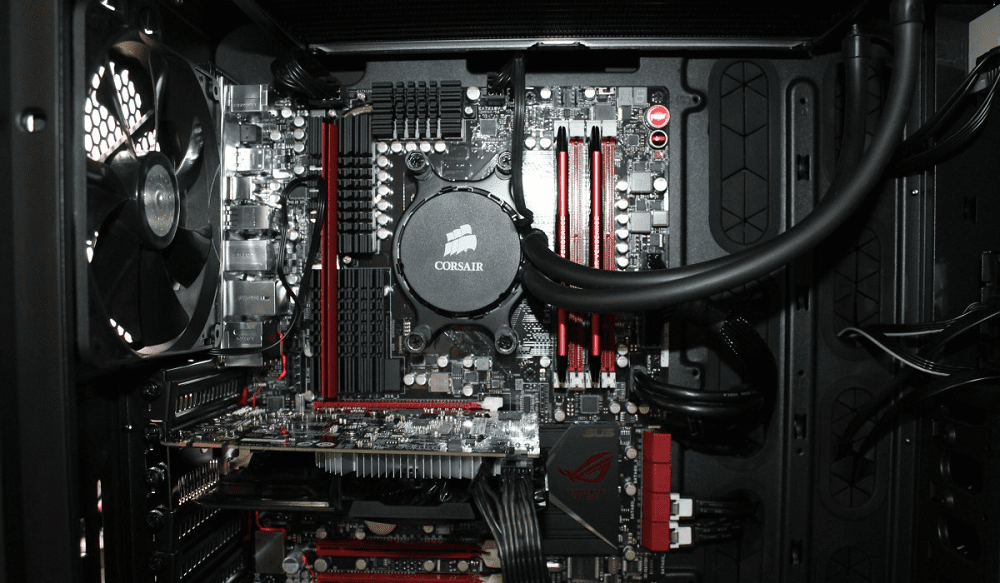
Before its replacement, PCI-X was found in countless PC parts. From the network, sound, and video cards to extra ports such as USB ports, TV tuner cards, and hard disk drive adapters. Just about any internal peripheral (so, a part in the PC, rather than a peripheral like a mouse) utilizes PCI buses – most commonly now, PCI-E ones. PCI-E and PCI/PCI-X are not compatible, and therefore there is no bottlenecking possibility, as the parts won’t work at all.
Conclusion
PCI-X stands for Peripheral Component Interconnect Extended. It was a backward-compatible extension of the PCI standard. It offered faster transfer speeds that increased performance; this only temporarily offset the fundamental design issues with PCI, though. As bandwidth was shared between all devices, efficiency was limited in more complex setups.
This was especially the case in setups where one device was slower than others. The whole configuration was limited to the performance of the slowest component. The standardization of PCI-E solved these issues and enabled faster transfer speeds,. It quickly replaced PCI-X as the preferred standard, leaving it obsolete outside of legacy hardware.