Pretty much any software you could want, as well as a lot of software you don’t, can be found on the Internet. It doesn’t do you all that much good there, though. to be able to run a program, you must first download and install it. Once the software is saved on your hard drive, you can run it.
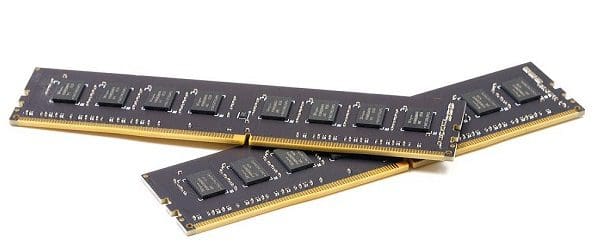
The problem is that storage media, even high-speed SSDs, are pretty slow compared to a CPU and can’t provide data fast enough for acceptable performance. To be able to run the software, the code that is to be run needs to be loaded into memory. This is the job of a loader.
A loader is a component of the operating system. It is essential to starting any application as it loads the program into memory and prepares it for execution. The loader is always kept in memory so programs can be loaded as quickly as possible.
It is necessary to load the operating system into system memory to boot up. This is the task of a specific type of loader called the boot loader. Embedded systems may not necessarily use a loader. This is typically the case for low-level systems without operating systems that run code directly from storage media, typically EPROM or flash memory.
An Edge Case
Virtual memory is a feature of modern operating systems that hides the physical address of the data from the system and the program. The essential advantage here is that this allows the operating system to “page” some memory out of physical RAM. Instead, it stores it on the hard drive.
Paging is typically only done when the computer is running out of RAM. This is useful because it allows a computer to use more RAM than it has. Without this process, at least one program would crash as it couldn’t store the needed data. The downside is that the storage media is still slow, so there is a heavy performance impact if the moved data is required. With this, however, the loader can pull a bit of a trick. Instead of loading the necessary data into RAM, it can create the virtual memory space and map it to the data location on the hard drive.
This would allow the program to appear loaded instantly, though it’s not done. The program is not ready to use now, even though it could look like it. This may not necessarily be an issue for an unnecessary background task, but it is an issue if it’s an application the user wants to use; in this case, the trick would provide no benefit.
Another reason is that, typically, when a program is opened, the system has sufficient RAM. Most people don’t keep their computer running at 99% RAM usage constantly. Even those that do will probably actually want the program they just loaded to work and would prefer another program to get paged.
Responsibilities of a Loader
A loader’s precise steps depend on the operating system in question. A basic UNIX loader has five main functions. The first is to perform validation checks. This involves enough physical memory available and the necessary permissions. Next, the loader actually memory maps the data. Typically this is done by transferring the data to the main memory. As mentioned above, the memory could theoretically be mapped to the drive location in a pinch.
Applications can be run with command-line arguments. These are optional flags that indicate certain behaviors or features that aren’t enabled by default. The -h flag is often used to print a text-based help file rather than run the program. These arguments also need to be loaded into memory. The registers need to be initialized, such as the stack pointer. Finally, the loader jumps to the first instruction of the program to get it running.
Conclusion
A loader is part of an operating system. It is responsible for loading applications starting from storage to main memory. Its responsibilities also extend to beginning the program running. This means it needs to initialize registers and call the first instruction of the program. It is known as a boot loader when the loader is responsible for loading the operating system itself.