For most computer users, access to the Internet is now wholly indispensable. While you may be able to use some applications offline, most of the time, you’ll need an internet connection to download them in the first place. Most software packages don’t come on physical media anymore. You may not even have a CD/DVD drive to read them for those that do, though that can be fixed with a USB drive. No, the internet is required to use a modern computer.
There are a couple of ways to connect to the internet. You can do so directly; Smartphones, many tablets, and some laptops have the option to install a SIM card. That SIM card can provide an internet connection via mobile data. Nowadays, that mobile data connection can even be highspeed thanks to 4G and 5G networks. This is certainly a reasonable option if you’re regularly traveling and need to use your device while doing so.
The other option to connect to the Internet is indirect. Home and enterprise Internet connections are enabled thanks to a router. The router is directly connected to the Internet thanks to your ISP (Internet Service Provider) connection. It then provides your device or devices with access to the Internet. It does this by running a LAN or Local Area Network.
The Basics of a LAN
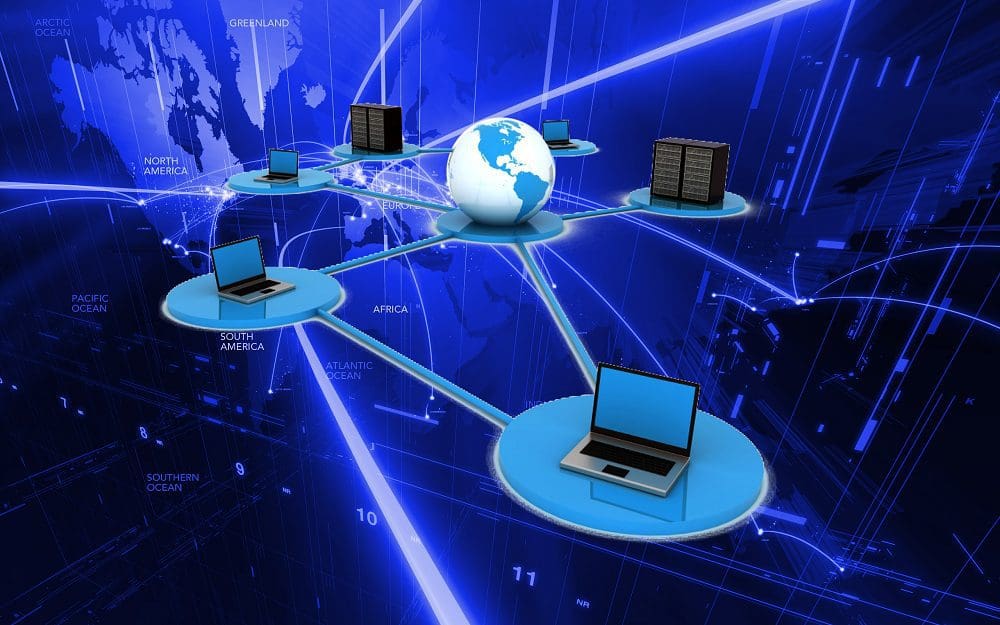
A network is a collection of digital devices that can communicate with each other. A LAN is a small network, typically on the scale of a building or a single unit within a building. This can be a family home, an apartment in a tower block, a single company’s office space in a shared building, or a single large building or tightly integrated complex.
Depending on the size of the network, the number of devices, and the use cases, an overarching LAN may be split into multiple networks, each of which is also a LAN. This segregation can happen in many ways. Subnetting can subdivide a network address range. Virtual LANs, known as VLANs, may be used.
These methods of segregating networks are most likely to take place in enterprise-type environments, where it makes sense to break down large networks. Both enterprise and home networks may also have multiple LANs, such as a home/employee network and a guest network.
Most LANs will also have both a wired and a wireless LAN. Wireless LAN is typically shortened to WLAN and generally uses Wi-Fi. Depending on the country, either term will be used to indicate the presence of a wireless network.
A LAN doesn’t even necessarily need to be connected to the Internet. As long as it’s a building-scale network, it counts as a LAN.
What Does a LAN Do?
A LAN provides connectivity. This almost constantly, but it doesn’t necessarily, means a connection to the Internet. It also allows some or all of the devices connected to the LAN to communicate with each other. Any device on a single LAN should be able to communicate with any other device on that same LAN. Network segregation, however, via the methods above, can be used to separate the networks so that they can’t communicate with each other. This can be fine-tuned with an ACL (Access Control List) or a firewall.
A home LAN can enable connectivity between the Internet, router, desktop computers, laptops, tablets, smartphones, smart TVs, and Wi-Fi-enabled smart home devices. Any ethernet port or Wi-Fi capability can be connected to a LAN. Any other device on that network can then communicate with it. This is where network segregation comes in. You may not necessarily want all connected devices to be able to communicate. For example, you have no idea if devices belonging to any guests have any viruses that could then try to spread to your networked devices.
A LAN only provides the connectivity backbone. Restricting access via segregation or other means must be done through configuration in software or with distinct hardware. Home routers, such as a segregated guest network, tend to give relatively limited options. Enterprise-grade managed routers offer much more advanced and detailed control, allowing a much more complex LAN configuration of many different LANs.
WAN
It should be pretty easy to understand how a home network is a LAN. It shouldn’t be much of a leap to get that an enterprise office LAN can be comprised of an array of LANs. But many enterprises have more than one office. In that situation, the term “Local” Area Network just doesn’t fit. However, these physically distant offices can be connected much more closely than just being connected to the Internet.
This is achieved with a WAN or Wide Area Network. A WAN is a LAN operating over a much larger area, potentially even globally. A WAN is almost, if not always, a network of LANs. Typically it will consist of each distinct connected LAN having a shared VPN or Virtual Private Network link over the Internet. This makes the WAN a little more complex to understand. The Internet is not part of the WAN; it just transmits the traffic. The Internet also isn’t a WAN itself. Each LAN on the WAN essentially sees the other LANs as directly connected via the VPN. The data transfer method over the VPN is irrelevant; it could be over a single directly connected cable or the Internet.
WANs are typically not seen outside of large organizations with multiple distinct locations. Two offices in different continents, countries, or cities would use a WAN to connect. Various offices in the same city will probably also use a WAN. The exception may be for buildings in a dense complex, such as an industrial complex or two buildings directly next to each other. These can be close enough to have an integrated LAN rather than setting up a multi-site WAN.
Conclusion
LAN stands for Local Area Network. A LAN provides network capabilities for a small area, typically building scale or units within that building. Connectivity to a LAN is generally achieved via an ethernet cable or Wi-Fi. In the case of Wi-Fi, the LAN may be distinguished as a Wireless LAN or WLAN. The only difference between a LAN and WLAN is the transmission medium. LANs can consist of other LANs as subnetworks or distinctly segregated networks. A LAN typically, but doesn’t necessarily, provide Internet access via a router.