
Best Endurance

- Samsung 860 PRO

Best in Show
- Samsung 870 EVO

Best Budget
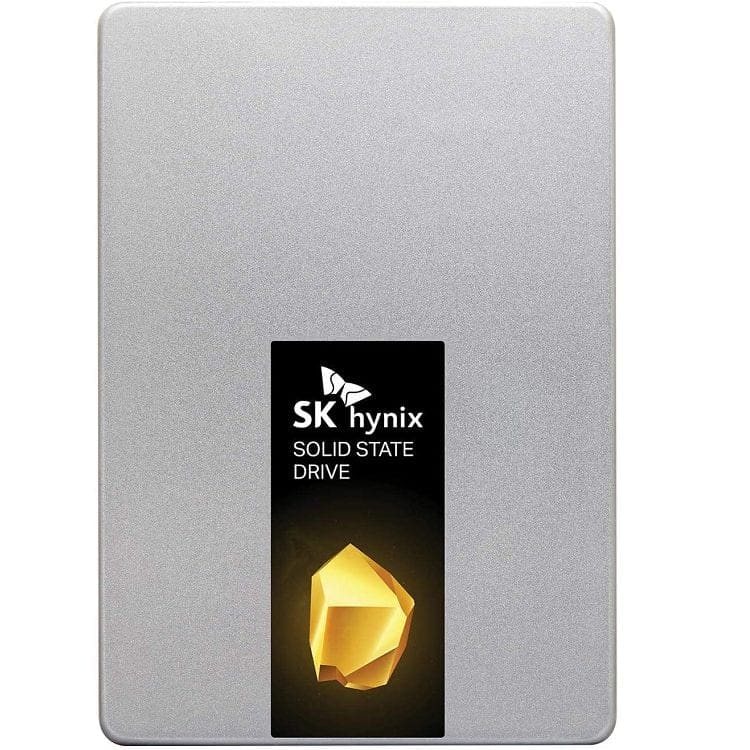
- SK Hynix Gold S31
SSDs are the fastest form of data storage for your computer, offering speeds that are significantly faster than HDDs can match. To get the most of these speeds you want to get a PCIe SSD, however, this has two downsides. Firstly, NVMe has a significant price premium, especially for high-capacity SSDs. Secondly, your computer only has so many M.2 slots to use and the CPU only offers a limited number of PCIe lanes. This can especially be an issue if you have a dedicated graphics card, as they typically take up 16 of the 20 or so PCIe lanes on offer, leaving you room for just one PCIe SSD while maintaining optimum performance.
Thankfully, you can get SSDs that use the same SATA 3 connector as traditional HDDs. These still offer a noticeable speed boost over HDDs but they are typically limited to the maximum bandwidth of the SATA 3 connection, 600MB/s, meaning they are also significantly slower than PCIe SSDs. To make up for this, larger capacities tend to be cheaper than on PCIe models, although still more than HDDs, it’s also significantly easier to connect more SATA drives to a computer, allowing for larger storage arrays. A SATA SSD is also a great upgrade for an old computer as it can act as a simple drop-in replacement for HDDs and provide a speed boost to read and write times.
To help you select a good one, we’ve drawn up our list of the best SATA SSDs in 2021.

Key Features
- 5-year warranty
- 600 TDW
- Up to 4GB of DDR4 cache
Specifications
- 250 or 500GB & 1, 2, or 4TB
- 560MB/s read
- 530MB/s write
 The Samsung 870 EVO is the SATA SSD to beat. It makes the most of the SATA bandwidth, offers an amazing level of endurance, and comes in high-capacity models. It comes in capacities between 250GB and 4TB and offers read speeds of 560MB/s and write speeds of 530MB/s.
To optimise write speeds a DDR4 cache is included of up to 4GB. The drive comes with a 5-year warranty, or up to 600 full drive writes. For SATA SSDs, this does come with a premium price tag, although it is still significantly cheaper at larger capacities than a PCIe SSD would be. We don’t particularly recommend any 250GB SSD though as the capacity is so low.
- Great performance
- Great endurance
- Large capacity
- 250GB SSDs aren’t really worth buying
- Comes with a somewhat premium price tag
Key Features
- Optional AES-256 encryption
- 5-year warranty
- Up to 700TBW
Specifications
- 250 or 500GB & 1 or 2TB
- 560MB/s read
- 510MB/s write
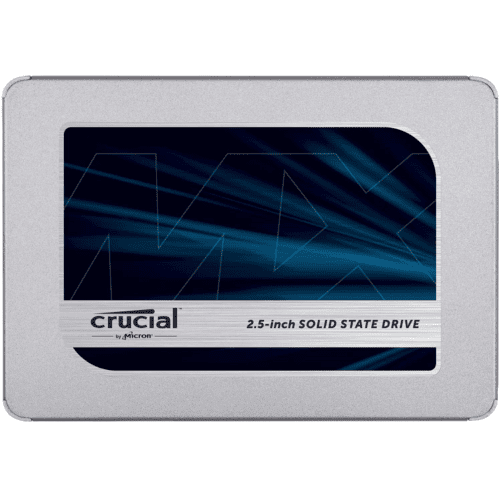
The Crucial MX500 is another solid SATA SSD. It offers very similar performance stats to the 870 EVO, with 560MB/s read and 510MB/s write. The drive comes with the same 5-year warranty, however, it doesn’t cover as much data written to the drive, with the 1TB model’s warranty supporting 380 Terabytes Written or TBW compared to the 870 EVOs 600TBW.
The drive has built-in features to help ensure the integrity of your data in the case of a sudden power loss, which can otherwise cause data-loss or corruption. It also comes overprovisioned with NAND memory, allowing it to essentially swap in new memory cells when the first ones start to degrade, extending the operational lifespan of the drive. This model doesn’t offer a 4TB version, however, which isn’t ideal if you want a large amount of flash memory.
- Power loss immunity
- Redundant NAND
- High performance
- No 4TB option
- Slightly weaker endurance

Key Features
- 5-year warranty
- 1200TDW
- Up to 4GB of DDR4 cache
Specifications
- 250 or 500GB & 1, 2, or 4TB
- 560MB/s read
- 530MB/s write
The Samsung 860 PRO is basically the same hard drive as the 870 EVO, it comes with the same performance and feature set. The main thing that sets it apart is the write endurance which is twice as good. While the EVOs 5-year warranty covers 600 Total Drive Writes, the PROs covers 1200 TDW. For the 4TB model, that means you can write 4800TB to the drive over it’s life span, that’s more than 2.6TB per day, every day, for 5 years.
This extra endurance does come at a cost though with the PRO being noticeably more expensive than the EVO, especially at higher capacities. If you need to write a huge amount of data and the price doesn’t matter too much, this is the better choice. If you’re not writing terabytes of data a day, however, you can save some money by getting the EVO.
- Same performance as the 870 EVO
- Better endurance than the 870 EVO
- More expensive than the 870 EVO

Key Features
- 5-year warranty
- Up to 600TBW
- Included free drive cloning software
Specifications
- 250 or 500GB & 1, 2, or 4TB
- 560MB/s read
- 530MB/s write
The WD Blue SATA SSD again offers the same level of performance as the 870 EVO with read speeds of 560MB/s and write speeds of 530MB/s. It comes in the same capacities as the EVO and offers the same 5-year warranty. The drive also comes with free cloning software to help you get your hard drive set up as quickly as possible.
Like the 860 PRO, the main difference from the 870 EVO is the drive endurance, although the Blue’s endurance tends the other direction. For the 1TB drive and below, the endurance is 400TB per terabyte of storage. The two and four terabyte versions however, each only gain an extra 100TBW of endurance to 500 and 600 respectively.
- High performance
- Good endurance at the low end
- Weak endurance at the higher capacities

Key Features
- 5-year warranty
- Up to 600TBW
- Up to 12GB of cache
Specifications
- 250 or 500GB & 1TB
- 560MB/s read
- 525MB/s write
The SK Hynix Gold S31 is another SATA SSD with similar performance to the 870 EVO. With 560MB/s read and 525MB/s write speeds. It comes with a 5 year warranty or up to 600TB written to the drive. The drive is limited to just 1TB in capacity, but is also slightly cheaper than the rest of the entries on this list.
SK Hynix may be a re;atively unknown name but they’re actually really big, they’re the second larges manufacturer of flash memory in the world, they just normally only sell that to other companies rather than making products using it themselves. With this drive they’ve made everything from the flash to the memory controller themselves with savings from the smaller supply chain resulting in a slightly cheaper product of comparable performance.
- Cheap
- Reliable brand
- Produces all components in-house
- Maximum of 1TB
That was our list of the best SATA SSDs in 2021. Have you recently bought a SATA SSD? What model did you go for and how has your experience been?
