
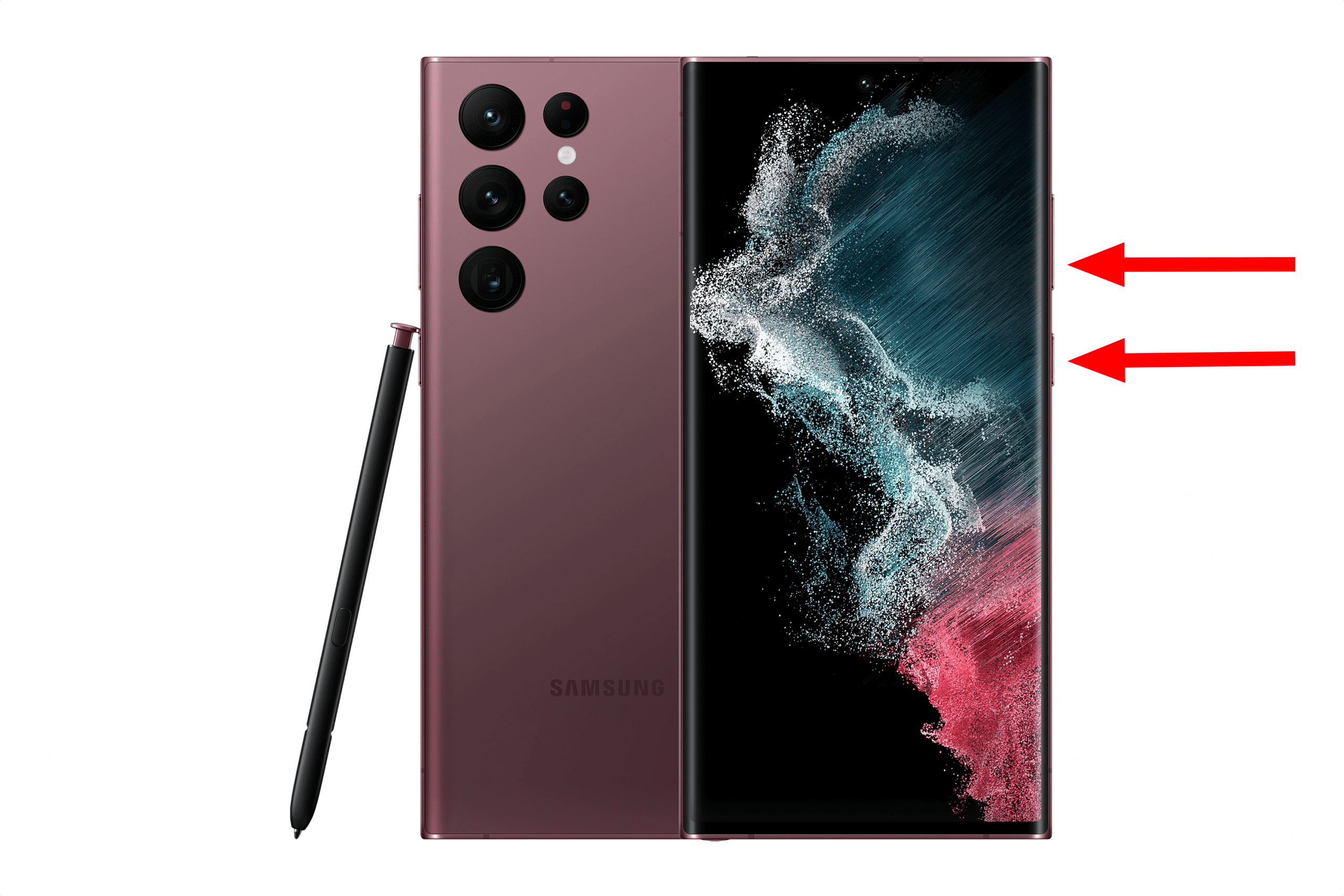
I was attempting to capture a photo of the screen using my Samsung Galaxy S22 Android phone this morning and was greeted with a message that told me “Can’t take screenshot due to security policy“. What could be causing this issue?
Contents
Reason 1 – Chrome Incognito Mode
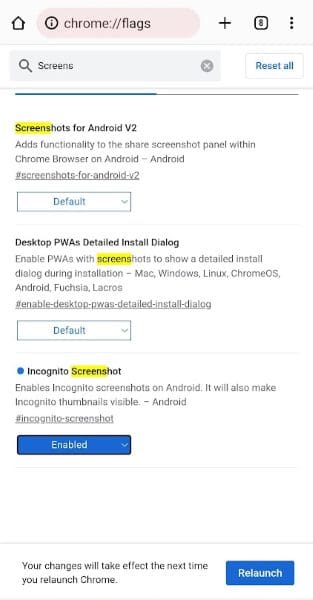
The Android OS prevents screenshots from being taken while in Incognito Mode in the Chrome browser. You can enable screenshots in Incognito Mode with these steps:
- Type chrome://flags in the address bar and press Enter.
- Search for “screenshot“.
- Change the Incognito Screenshot setting to Enabled.
Reason 2 – Policy set on Phone
If your Android device was issued to you by a school or company, they may have enforced policies that prevent screenshots. The policy can also be enforced if you have added a company account to your phone.
You will either need to talk to the IT department, or remove the account associated with the policy from “Accounts” in “Settings“.
Reason 3 – Policy set in App
Some apps have a policy that prevents screenshots from being taken. Financial apps such as investing, and banking commonly have screenshots disabled for security purposes. It prevents malicious code from being able to run in the background of your device and send a copy of your screen to a hacker.
If you’re having trouble taking a screenshot in an app that you think should allow screenshots, try closing all apps, relaunching the app, and trying take another screenshot.
If closing all apps doesn’t work. Try restarting your device.
Reason 4 – Media Storage Isn’t Enabled
On some phones, you may have to enable storage to media so that screenshots can be stored on the device.
You can often find the setting by following this path:
Settings > Application > Application Manager > More > Show System Apps > Media Storage > Enable
I hope this post has helped you figure out why your Android is not allowing you to take screenshots. Have a comment or a solution? Drop it below in the comments.



this is really annoying. idc if the app doesn’t want me taking screenshots because it’s “personal info” or whatever. it’s my phone; i just wanna take a screenshot. they should at least have an option to override it, maybe with fingerprint or something.
Team
Need support as I am using my official mail on mobile through scale fusion app which ha created a work profile on my phone in this work profile re work is the app used for mail. In this app I am not able to take screenshot due to security policy need support in taking screenshot.
This has solved my problem of taking screenshots on android chrome. Thank you so much.
Recently switched to Frontier, and was forced into eero, which has caused all kinds of issues, among them, the “due to security policy” on screenshots. Cannot get it to work. Who appointed this nonsense over us without giving us options, anyway? Theyre forgetting who bought and paid for the phone and service. Has anyone else been able to get screenshots working successfully with eero?
Just upgraded to Android 13. Screenshot issue is gone. Hoping it lasts.
Thank you, finally i can use my screenshot. You’re helpful
Hi, I’m having the same issue, did all of the above but nothing worked in my case sadly. Wish Android wouldn’t do this automatically or at least give the user the option. It’s really inconvenient to me as I need to use screenshots regularly.
Any help is appreciated.
Many thanks!
Great advise but none if these are working in my case.
I get a message to “enable screenshots in Google assistant, Chrome and to restart. I get this message randomly and check these settings to find everything is as it should be. I restart device to no avail. Randomly it begins to work again for no known reason at another time. This time it has gone on for 1+ week with, again, no apparent reason. Any suggestions? Thank you in advance.